On the Genie Excelerator screw-drive family, five repeating status-light blinks mean a Safe-T-Beam malfunction. Genie says the Safe-T-Beam system must be installed and operational for the door to close, so inspect the sensor LED pair, beam path, alignment and wiring using the Safe-T-Beam diagnostic chart before replacing parts.
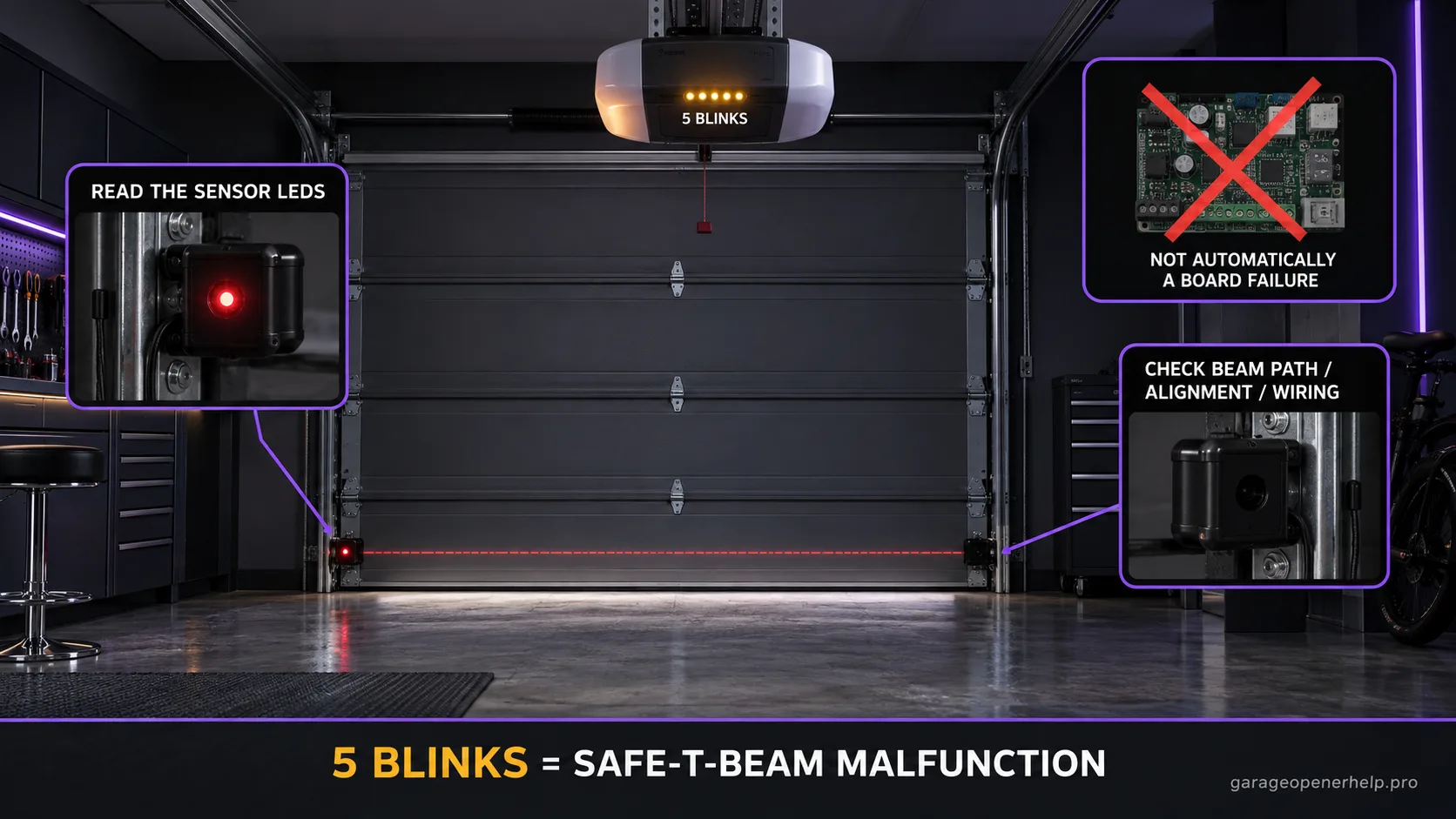
Diagnostic snapshot
- Answer
- Five repeating Excelerator status-light blinks mean a Safe-T-Beam malfunction.
- Check first
- Read the red/green Safe-T-Beam LED pair before moving sensors or replacing parts.
- Strong clue
- An abnormal sensor LED pair plus a no-close symptom keeps the diagnosis in the safety-beam branch; the LED combination then separates beam-path from wiring/power causes.
- Model / generation note
- Do not confuse Excelerator five blinks with the 1022/2022-family five-green-blink code, which has a different meaning.
This exact manufacturer signal can feed the following diagnostic families. Keep the original code or LED pattern when troubleshooting.
What you are likely to notice
- The Excelerator status light blinks five times, pauses, and repeats
- The door may refuse to close normally or reverse
- The Safe-T-Beam sensors near the floor show an abnormal LED pattern
- The opener is an Excelerator model covered by Genie's self-diagnostic chart
Check these in order
1. Keep the two diagnostic systems separate
The five-blink signal is on the Excelerator powerhead. The Safe-T-Beam sensors have their own red/green LED chart. Use the powerhead code to choose the sensor branch, then use the sensor LEDs to decide whether the issue is obstruction/alignment, wiring/power, interference, or a defective sensor.
2. Read both Safe-T-Beam LEDs together
Genie's current Safe-T-Beam chart distinguishes normal solid operation from dark LEDs, two-blink states, interference and source-pulse faults. Record both LEDs before moving a bracket or disconnecting wiring; the pair contains more diagnostic information than 'red light blinking' by itself.
3. Clear the beam and check alignment/wiring
Remove objects and debris from the beam path, clean the lenses, and inspect accessible low-voltage wiring for cuts, loose connections or tight staples. Do not bypass the sensors or permanently use a hold-to-close behavior as the fix.
4. Verify safe reversal after correction
Once the manufacturer's normal sensor state is restored, perform the required safety-reversal test. A steady sensor LED is not enough if the system does not reverse safely. If five powerhead blinks persist, record both sensor LEDs and the exact Excelerator model for support.
The powerhead count tells you where to look; the sensor pair tells you what happened
Excelerator five blinks narrows the failure to the Safe-T-Beam system, but it does not by itself distinguish a blocked beam from a wire problem or a defective sensor. Genie's separate Safe-T-Beam chart does that job by combining the source and receiver LED states.
Preserve both observations: the five-blink powerhead code and the red/green sensor pattern. Together they are far more useful than a generic 'garage door won't close' description.
Normal-looking LEDs still require a safety test
A restored solid LED pair is a useful sign, but it is not a substitute for the manufacturer's safety-reversal test. The photo-eye system exists to stop or reverse closing when the beam is interrupted, and the opener should not return to normal service until that protection behaves correctly.
Do not tape sensors together, aim them away from the opening, or rely on constant wall-button pressure as a permanent workaround.
Why this code is easy to misread across Genie generations
Genie has multiple diagnostic charts. On the Excelerator family, five status-light blinks mean Safe-T-Beam malfunction. On the 1022/1024/1042/2022/2024/2042/2027 powerhead chart, five GREEN blinks means chain/belt tension or a control-system failure. The same number is therefore meaningless without the opener family and indicator location.
Record that generation boundary in any repair handoff; otherwise a technically correct code from the wrong Genie family can send the diagnosis in the opposite direction.
What to record before moving a sensor
Before loosening a sensor bracket, note which sensor is red and which is green, whether either LED is solid, dark, or blinking, and whether the pattern changes when the door vibrates. Photographing the original bracket position can be useful if alignment work does not solve the problem.
Also note whether direct sun reaches the receiving sensor at the time of failure. Genie publishes interference as a distinct Safe-T-Beam branch, so a symptom that appears only at a certain time of day should not be collapsed into a generic 'bad sensor' diagnosis. If the failure disappears when the sun angle changes, preserve that timing rather than immediately swapping sensors; repeatable environmental timing is useful evidence for the interference branch.
Stop DIY troubleshooting when…
- A spring, cable, track, or door section is damaged
- Sensor wiring damage requires hidden-wall or powered-electrical work
- The Safe-T-Beam LEDs cannot return to the manufacturer's normal state
- The door does not pass the safety-reversal test
Garage door springs, cables and a falling/unbalanced door can store or release dangerous force. Those are door-system problems, not just opener settings.
Common questions
Do five Excelerator blinks prove a sensor is bad?
No. Genie identifies a Safe-T-Beam malfunction, then the sensor LED chart is used to separate obstruction/alignment, wiring/power, interference and sensor faults.
Can the door close without working Safe-T-Beams?
Genie states the Safe-T-Beam system must be installed and operational to enable normal closing.
Are five blinks universal on Genie openers?
No. Other Genie families use different diagnostic charts, including a different meaning for five green powerhead blinks.
Manufacturer sources used
These links are the factual baseline for the diagnostic claims above. Model-specific manuals can supersede general guidance.