If the old remote is a Genie GITR-3, Genie identifies the G3T-R as a compatible current replacement. The G3T-R is the closest like-for-like choice when you still want three buttons. A G1T-BX can also work on compatible Intellicode openers when one button is enough, but use the opener generation to choose the correct programming sequence.
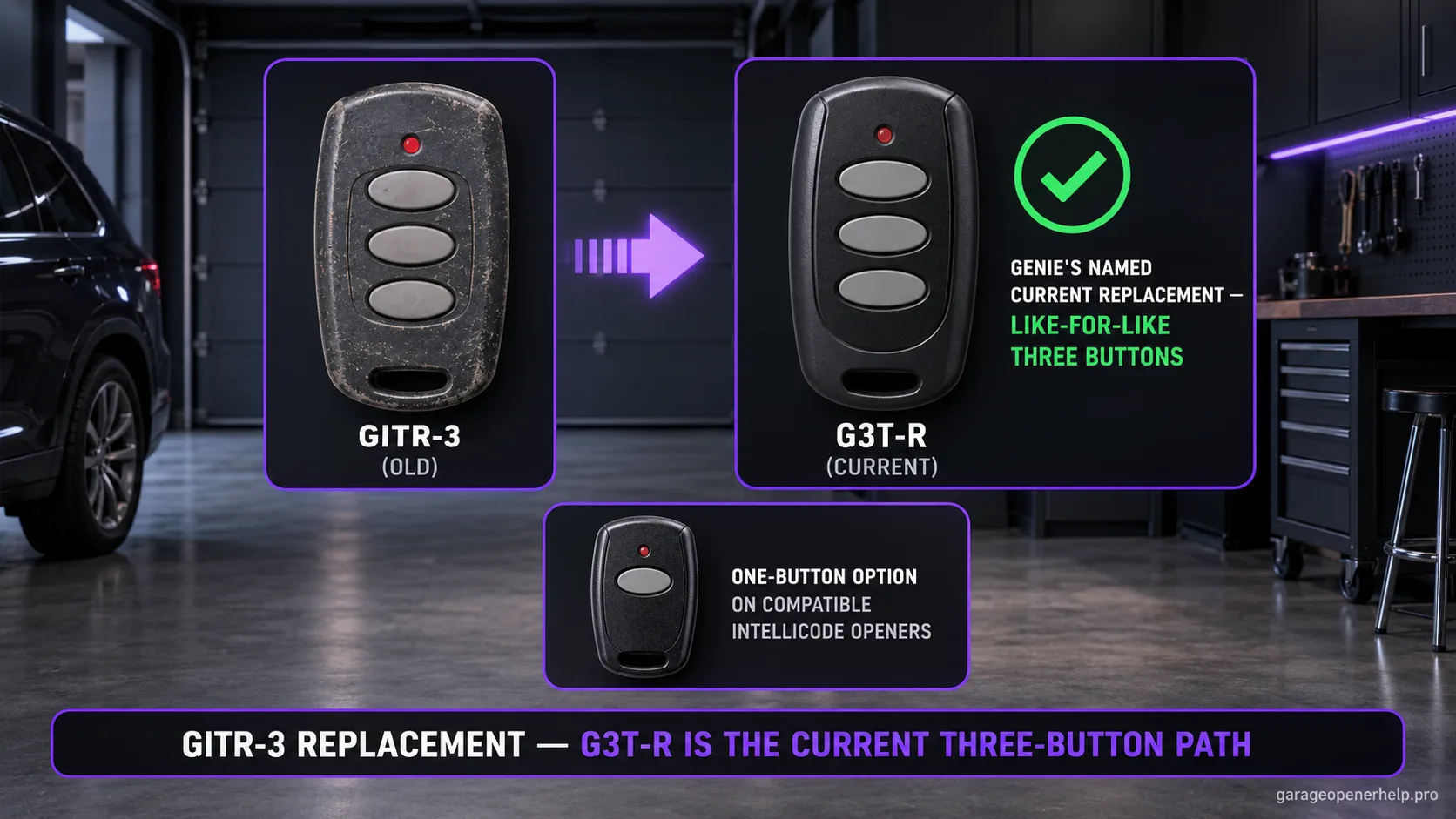
Diagnostic snapshot
- Answer
- Genie identifies G3T-R as a compatible current replacement for the older GITR-3 three-button Intellicode remote.
- Check first
- Read the old remote label and identify whether the Genie opener uses Learn Code or newer Program/Set controls.
- Strong clue
- Genie's current product support specifically answers GITR-3 replacement questions with G3T-R, rather than relying on case shape or frequency guesses.
- Model / generation note
- G3T-R compatibility spans Intellicode generations, but the programming sequence changes by opener generation.
Keep the old Genie remote model attached to its replacement path
Can you read the original remote model or FCC-style identifier?
Older Genie remotes can look similar while using different radio generations. Use the exact old model and Genie’s documented replacement/compatibility path rather than matching by shell shape.
What you are likely to notice
- Your remote is labeled GITR-3 or has the matching old Genie identifier
- The old three-button remote is lost or failing
- You want a current Genie Intellicode replacement
- You are unsure whether G3T-R uses the same programming steps on every Genie opener
Check these in order
1. Confirm GITR-3 from the label, not the shell
Genie has used several visually similar transmitter housings. Read the printed model/FCC information so the replacement decision starts from an exact identifier.
2. Choose G3T-R when three buttons matter
Genie's current product Q&A and buyer guidance identify G3T-R as the three-button replacement path for GITR-3. That preserves the ability to control multiple compatible Genie openers rather than dropping to one button.
3. Identify whether the opener uses Learn Code or Program/Set
The replacement remote is compatible across Intellicode generations, but programming differs. Older 1995–2011 Learn Code openers and newer Program/Set models do not use identical entry steps.
4. Program one opener at a time
Assign a single G3T-R button to the first opener and test it before programming the second or third. This is especially useful in homes with two Genie opener generations because each door can require a different pairing sequence.
Why the G3T-R is the cleanest three-button migration
Genie's current product support directly answers the GITR-3 replacement question: G3T-R is compatible. Genie also says current Intellicode remotes can replace GITR-3, with G3T-R recommended when a three-button remote is desired. That gives the migration both model-specific and family-level support.
The practical advantage is preserving three independently usable buttons for compatible Genie openers. If the household only has one door, a current one-button Intellicode remote can be simpler, but changing to one button is a convenience choice rather than a requirement imposed by the old GITR-3.
Compatibility is broad; programming is generation-specific
Genie Intellicode spans multiple opener generations. The G3T-R programming guide separates newer units with a square Program button and round SET buttons from older Learn Code openers. Some 1995–1997 models also use a special two-upper-button sequence during remote setup.
So a replacement can be correct even when the first programming instructions you try do not match the opener. Identify the powerhead controls before assuming the new remote is defective, then use the G3T-R programming sequence for that opener generation.
Use the opener controls to choose the programming branch
The strongest pre-programming clue is on the opener powerhead, not on the old GITR-3. Newer Genie systems use Program/Set controls, while older Intellicode units use Learn Code. Identify those controls before starting so you do not repeatedly erase or retry programming with instructions written for another generation.
If one home has two Genie doors from different eras, the same G3T-R can still be the correct replacement while each button uses a different setup path. Keep compatibility and programming as separate questions: a remote can be compatible with both openers while requiring a different enrollment procedure for each generation.
Stop DIY troubleshooting when…
- The opener is not an Intellicode-compatible Genie system
- The old GITR-3 operated a receiver you cannot identify
- The opener has no readable model/receiver clues and programming fails on both documented paths
- The door itself has a mechanical or safety fault unrelated to remote control
Garage door springs, cables and a falling/unbalanced door can store or release dangerous force. Those are door-system problems, not just opener settings.
Common questions
What replaces Genie GITR-3?
Genie identifies the G3T-R three-button Intellicode remote as a compatible replacement for GITR-3.
Can I use a one-button Genie remote instead?
On compatible Intellicode openers, Genie says current Intellicode remotes can replace GITR-3. A one-button option can be reasonable if you only need one door; verify the exact opener generation.
Why won't G3T-R program using the first instructions I found?
Different Genie Intellicode generations use different setup sequences. Identify whether the opener has Learn Code or Program/Set controls and use that exact procedure.
Manufacturer sources used
These links are the factual baseline for the diagnostic claims above. Model-specific manuals can supersede general guidance.