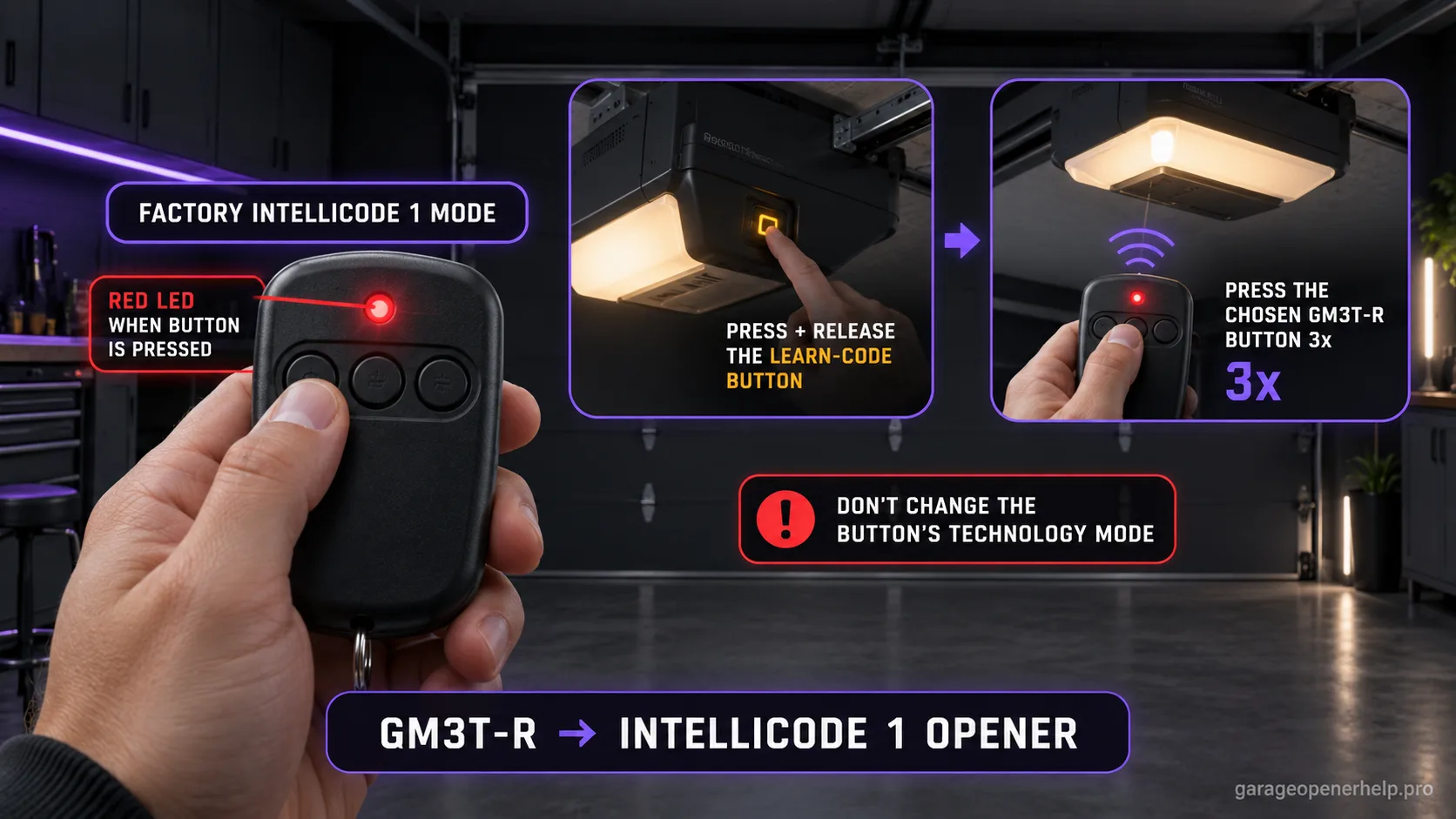
Genie says the GM3T-R comes from the factory in Intellicode 1 mode, shown by a red LED on the remote when the button is pressed. To pair it, press and release the opener's Learn Code button, then press the chosen GM3T-R button three times through the documented confirmation sequence.
Keep Genie remote programming in the correct evidence order
Do you know the remote model and whether the opener uses Intellicode 1 or Intellicode 2?
Genie programming depends on the accessory and opener generation. Identify the exact remote first, put the opener into its documented learn/program mode, then test one programmed button before adding more accessories.
What you are likely to notice
- Your GM3T-R button shows a red LED when pressed
- The target Genie opener uses Intellicode 1 / Learn Code programming
- You want to assign one of the three GM3T-R buttons to an opener without changing the other buttons
Check these in order
1. Confirm the chosen button is in Intellicode 1 mode
Genie's GM3T-R instructions identify Intellicode 1 by a red remote LED while the selected button is pressed. If the button shows green instead, do not continue with the Intellicode 1 pairing path; that button is in the Intellicode 2 mode described in the separate guide.
2. Start Learn Code mode at the opener
Locate the opener's Learn Code button and indicator LED. Press and release the Learn Code button. Genie says the opener's Learn Code LED will blink rapidly, creating the pairing window for an Intellicode 1 remote.
3. Use the same GM3T-R button for all three presses
Press and release the chosen remote button once; the opener's Learn Code LED should stop blinking and stay on. Press the same button again and that LED should turn off. Press the same button a third time and the opener should run.
4. Assign a different button for another opener
The GM3T-R can control multiple systems, but Genie notes that each opener needs its own assigned remote button. Keep a simple note of which physical button belongs to which door rather than repeatedly overwriting one button during setup.
Red on the remote is the key pre-check
The GM3T-R is unusual because one physical remote can work with different Genie technology generations. Genie states that it ships in Intellicode 1 mode, and the remote indicates Intellicode 1 with a red LED when the selected button is pressed. That tiny indicator should be checked before touching the opener's Learn Code button.
If the selected button shows green, it is not in the factory Intellicode 1 state. Using the Intellicode 1 opener sequence while the button is configured for Intellicode 2 can create a confusing no-response loop. Diagnose the transmitter mode first, then choose the opener pairing sequence.
The three presses are three different checkpoints
On the Intellicode 1 route, Genie's instructions use the same GM3T-R button repeatedly, but each press changes the opener's Learn Code LED state. The first remote press changes the rapidly blinking Learn Code LED to steady. The second turns the Learn Code LED off. The third is the operational test that should run the opener.
That sequence is more informative than a generic instruction to 'press the remote three times.' If the opener never leaves rapid blink after the first press, the pairing failed at receiver recognition. If the LED sequence completes but the door does not run on the test press, verify the opener's overall operating state rather than simply repeating the same pairing ritual.
GM3T-R is discontinued, but the programming distinction still matters
Genie's current store page marks the standalone GM3T-R product as discontinued while continuing to host its official programming guidance and compatibility information. Existing homeowners can therefore still need accurate support for a remote already in service even if the product is no longer the current retail choice.
Discontinuation does not make an installed GM3T-R automatically incompatible. Separate two questions: whether the remote you already own can still be programmed to the opener, and which current manufacturer-supported remote you should buy if you need a replacement.
Stop DIY troubleshooting when…
- The remote LED state does not match the technology you think the opener uses
- The opener has no Learn Code programming path matching the official instructions
- The opener does not acknowledge the remote after a fresh battery and correct sequence
- A mechanical door problem makes test operation unsafe
Garage door springs, cables and a falling/unbalanced door can store or release dangerous force. Those are door-system problems, not just opener settings.
Common questions
What color should the GM3T-R LED be for Intellicode 1?
Genie says Intellicode 1 mode is indicated by a red LED on the remote when the selected button is pressed.
Does each GM3T-R button have to control a different opener?
Genie's instructions say each opener should have its own assigned remote button. The three buttons let the remote control multiple systems without overwriting the same assignment.
Is the GM3T-R still sold by Genie?
Genie's current standalone GM3T-R product page marks it discontinued. The official programming documentation remains available for existing remotes.
Manufacturer sources used
These links are the factual baseline for the diagnostic claims above. Model-specific manuals can supersede general guidance.