If the wall console runs the opener but the remote does not, Genie troubleshooting points first to vacation/lock mode, remote programming and the remote battery. Range problems can also involve battery condition or opener antenna position.
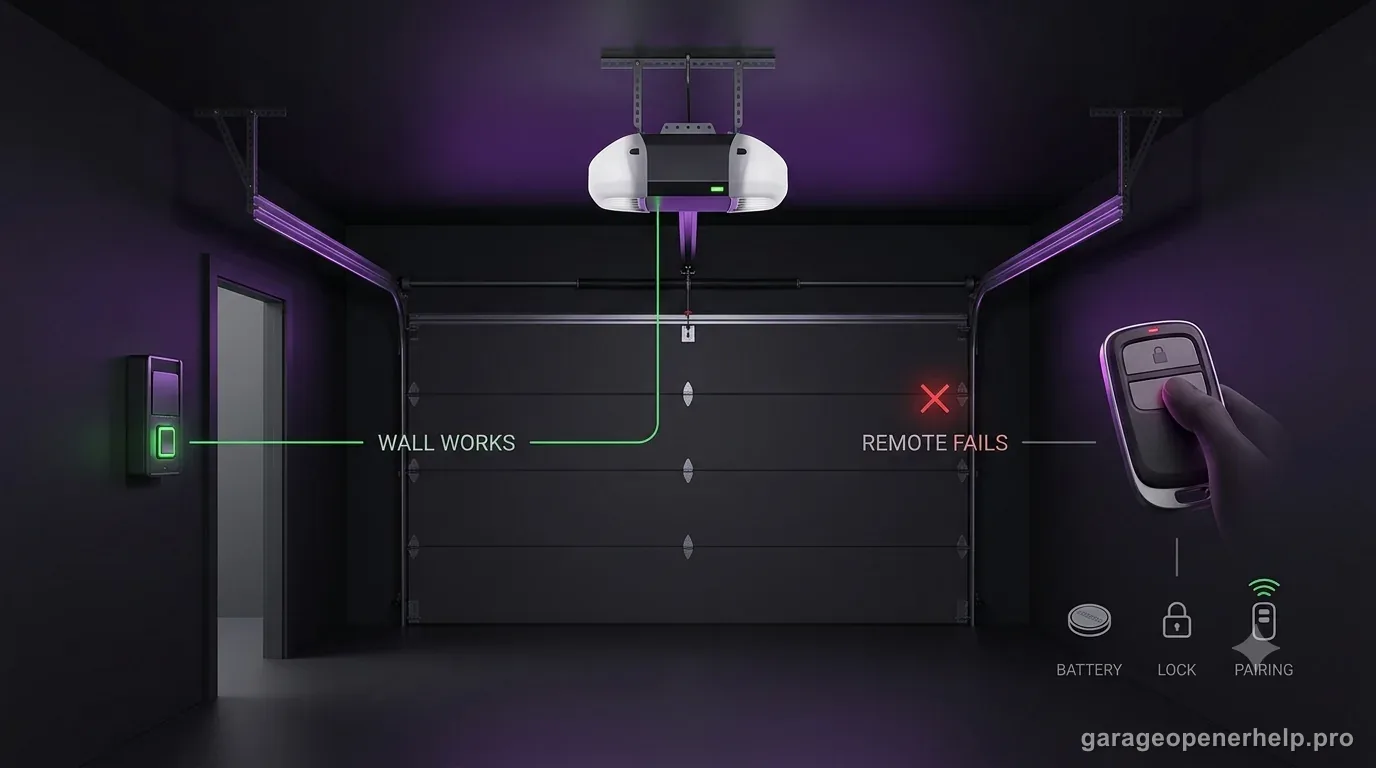
Use the wall control to split a remote-only problem from an opener problem
Does the wall control still run the opener while the handheld remote fails?
When the wall control operates the opener but a handheld remote does not, the remote-side branch becomes more useful: lock/vacation mode, remote battery, programming and range/interference can be checked before treating the entire opener as dead.
What you are likely to notice
- Wall console works normally
- One or more remotes stop operating the door
- Remote range becomes very short or intermittent
Check these in order
1. Check lock / vacation mode
Some wall consoles can disable handheld remotes while leaving wall-control operation available. Confirm the lock feature is off.
2. Replace the remote battery
A weak battery can cause short range or no operation. Use the battery type specified for the remote model.
3. Reprogram only when pairing was actually lost
A normal power outage does not by itself prove that remote memory was erased. Reprogram the remote when the receiver/control board was replaced, memory was deliberately erased, or the exact model's indicators show the transmitter is no longer learned. Use the opener-specific programming instructions.
4. Check antenna and interference
If the remote works only very close to the garage, inspect the opener antenna position and test away from newly added electronics or lighting that may introduce interference.
Use the working wall control to narrow the fault
A working wall console tells you the opener has power and can operate the door. That makes remote-specific causes more interesting: lock/vacation mode, lost programming, remote battery condition and radio range. It does not prove every part of the opener is healthy, but it stops you from beginning with unrelated door travel adjustments.
If every handheld remote stopped at the same time, think about a shared cause such as lock mode, receiver programming or opener power history. If one remote fails while another still works, start with that remote’s battery and programming before blaming the opener receiver.
Short range is a different symptom than no programming
A remote that works only from a few feet away may still be correctly programmed. Genie’s troubleshooting guidance calls out battery condition and opener antenna position for range problems. New LED lighting or electronics can also be useful context if the range changed immediately after an installation, although the exact interference diagnosis should remain model-specific.
When reprogramming, use the instructions for the exact opener generation and remote technology. Genie Intellicode, older fixed-code products and universal remotes do not all follow the same procedure. First verify that the remote is compatible; then use the programming sequence for that exact radio generation.
When every remote fails, check the shared receiver path
If several compatible remotes all stop at once, test each after confirming the wall console's lock setting and opener power state. A shared failure can point to receiver memory, the receiver/control board or a changed radio environment; it does not establish that every remote failed together.
If the wall control still operates the door and known-good compatible remotes remain unresponsive after the model-specific checks, stop buying remotes and use Genie support with the opener model and observed indicators. Keep door balance, springs and travel/force adjustment out of a remote-only diagnosis unless the door itself is also behaving abnormally.
A working wall console narrows the remote branch
Genie's troubleshooting guidance separates a working wall console from a failed handheld remote. For the referenced model family, Genie tells owners to confirm vacation lock is off, program the remote into receiver memory and replace the remote battery. Poor range is treated separately and adds antenna position and battery condition to the checks.
Use multiple remotes as a discriminator. If one remote fails while another still works, start with that handheld device's battery and programming. If every remote and wireless device stopped at the same time while the wall console still operates the opener, a shared receiver/programming/lock-mode cause becomes more plausible than several batteries failing simultaneously. Record whether the problem is 'no response anywhere' or 'works only close to the opener' because range failure and lost programming are not the same symptom.
- Wall console works + one remote fails: remote battery/programming first.
- All remotes fail together: check lock/vacation mode and shared receiver/programming evidence.
- Short range is a separate branch from a remote that is not learned at all.
For a remote-only failure, record whether the wall console works, how many remotes fail, whether any remote still works at short range and whether vacation/Sure-Lock is on. Include the opener model and remote model if visible. That evidence quickly separates one bad handheld device from a shared receiver/programming or lock-mode problem and makes replacement compatibility easier to verify.
Stop DIY troubleshooting when…
- Multiple known-good remotes fail after receiver damage
- The opener has visible electrical damage
- Programming steps for the exact model are unclear
Garage door springs, cables and a falling/unbalanced door can store or release dangerous force. Those are door-system problems, not just opener settings.
Common questions
Why does the wall button work but none of my Genie remotes do?
Check lock/vacation mode first, then remote programming and batteries. A shared failure across several remotes is more likely to involve a common setting or receiver-side issue.
Why does my remote work only when I am close to the garage?
Genie points to battery condition and opener antenna position as checks for poor range. Record whether the range changed after new lighting or electronics were installed.
Do several failed remotes prove that all the remotes are bad?
No. Multiple compatible remotes failing together suggests checking the shared lock, receiver, control-board or radio-environment path before replacing each transmitter.
Will any Genie remote work with any Genie opener?
No. Many current remotes support Intellicode models, while older fixed-code products can require a different universal/master remote. Verify the opener technology and model.
Manufacturer sources used
These links are the factual baseline for the diagnostic claims above. Model-specific manuals can supersede general guidance.