For the Chamberlain 953EV/956EV and LiftMaster 893MAX/890MAX families, the manufacturer maps yellow Learn to 1 remote-button press, purple/brown to 2, red/orange to 3 and green to 4 during radio-family setup. Then enter the opener's Learn window and hold the selected remote button until the opener confirms pairing. The 953EV/893MAX use a rear Program button; the 956EV/890MAX use a side Program button, so follow the exact model instructions. The listed procedure does not establish compatibility with every white-button opener or every MC suffix; check those exact models separately.
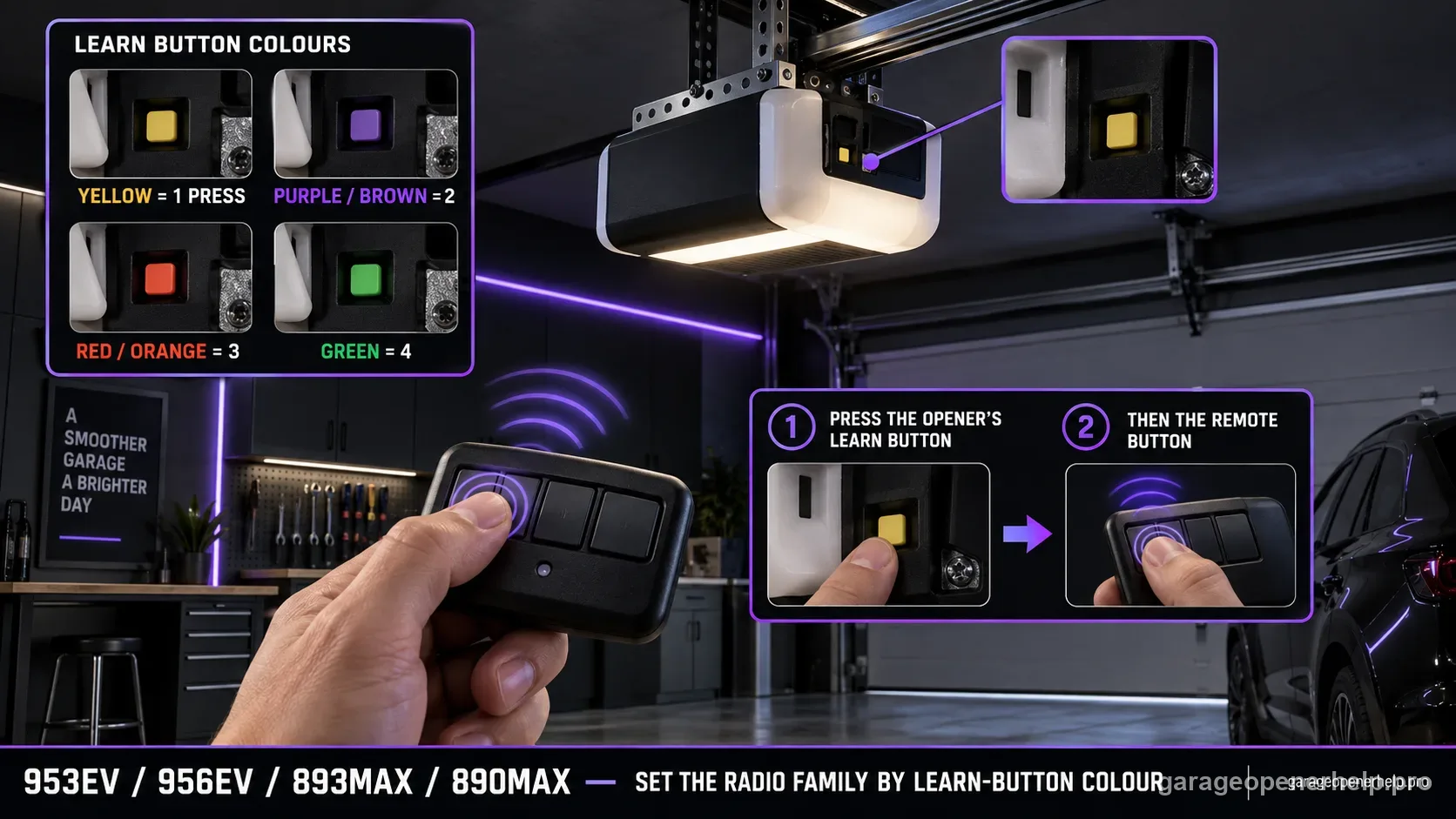
Set the EV/MAX radio family before pressing Learn
The count below is for the remote's family-selection step. The opener's separate Learn press comes afterward.
| Opener Learn-button color | Radio family in Chamberlain Group's chart | Remote-button presses |
|---|---|---|
| Yellow | Security+ 2.0 | 1 |
| Purple / brown | Security+ 315 MHz rolling code | 2 |
| Red / orange | Security+ 390 MHz rolling code | 3 |
| Green | Billion Code 390 MHz | 4 |
This table does not add a white-button branch: the cited legacy EV/MAX instructions do not show one. The Chamberlain article gives a separate table for the MC suffix family, including a yellow 315 MHz row; verify the exact model/manual rather than transferring the standard remote's yellow entry automatically.
Identify the Chamberlain / LiftMaster radio generation
Which LEARN-button family do you actually have?
Use shape as well as color: a round white button is the current Bluetooth Security+ 3.0 branch; an older square white button can be a DIP-switch unit. Round yellow has two manufacturer-listed eras, and blue 433 MHz identifies a discontinued replacement-board exception. Cross-check the antenna, nearby LED and model label.
What you are likely to notice
- You have a 953EV, 956EV, 893MAX or 890MAX family remote to pair
- The remote LED responds but the opener does not, or the Learn-color setup count may be wrong
- You are unsure whether the Program button is on the back or side of this remote
- The opener has a white Learn button or the remote model ends in MC
Check these in order
1. Check the exact remote model and the receiver color
Read the label on the remote and the opener or active external receiver before starting. The classic chart applies to the 953EV/956EV and 893MAX/890MAX families and maps yellow to 1, purple/brown to 2, red/orange to 3 and green to 4 presses at the remote-family step. A replacement receiver or logic board can make the opener housing's age a poor clue.
2. Enter setup using the right Program-button location
For the 953EV and 893MAX, remove the visor clip and press-and-hold the Program button on the back until the front LED turns on. For the 956EV and 890MAX, use a small safety pin or paper clip on the Program button at the side until the LED turns on. This is a difference in the remote's physical layout, not a different Learn-color count. Stop if the model or button location does not match the manual.
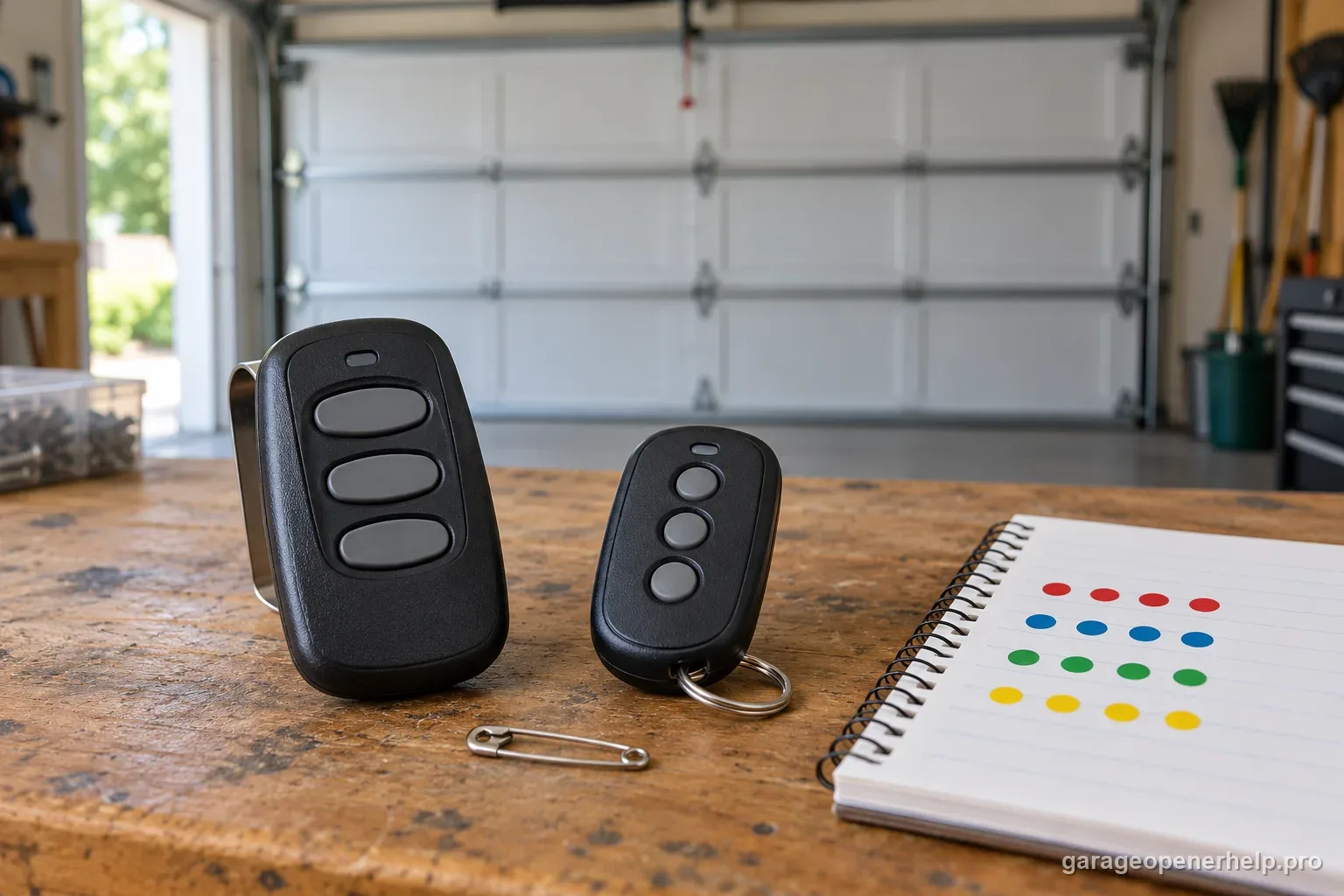
3. Select the receiver family with the listed number of presses
Press and release the remote button you intend to assign the number of times shown in the table. Then exit remote setup by pressing a different remote button, not the one being programmed. If the LED sequence does not behave as the manual describes, restart from the exact model instructions rather than adding extra presses by guesswork.
4. Pair during the opener's Learn window
With the door path clear and the door stationary, press and release the opener's Learn button. Follow the model manual to hold the configured remote button until the opener lights flash or you hear two clicks. Use the Learn control identified for that opener or receiver; do not keep pressing it, because some models use a longer hold to erase remote memory.
5. Test from a safe position and assign buttons deliberately
Stand where you can see the entire door and keep people, vehicles and objects out of its path. Press the programmed button once to confirm normal operation. For the three-button model, configure other buttons one at a time for supported doors and record which button belongs to each opener. If pairing fails, recheck model, receiver generation, battery and chosen count before repeating the documented sequence.
The 1-2-3-4 mapping is the part users most often skip
The EV/MAX family is designed to cover multiple Chamberlain Group generations. That flexibility comes from setting the remote to the radio family that matches the opener. Chamberlain Group's published table is simple but critical: yellow uses one press, purple/brown two, red/orange three, and green four during the family-selection step.
A remote can therefore be physically compatible yet fail to pair if it is left in the wrong family mode. Before replacing the transmitter or receiver, repeat the programming process slowly and verify the count against the opener's actual LEARN button.
Programming failure and poor range are different problems
If the opener never acknowledges the pairing attempt, stay in the programming branch: confirm learn mode, remote family setting, battery condition and the exact supported model. If the remote pairs and operates only from very close range, the programming relationship has already been demonstrated and the next branch is radio range or interference.
Keeping those symptoms separate prevents unnecessary memory erases. Clearing receiver memory can remove other remotes or keypads, creating a larger setup job without addressing a range problem.
Why the white-button generation needs its own check
The official 953EV/893MAX programming article documents the classic yellow, purple/brown, red/orange and green mapping. Chamberlain Group now also has a white-button Security+ 3.0 generation with its own current accessory line. That means a white-button owner should use the current compatibility chart rather than assuming an older EV/MAX workflow automatically applies.
If the current manufacturer chart does not document the accessory relationship, keep the result unverified rather than extrapolating from the fact that two products share the Chamberlain or LiftMaster brand.
If other remotes stopped too, diagnose the opener state before reprogramming everything
A single EV/MAX remote losing pairing is different from every transmitter failing at once. If multiple remotes and a keypad all stop together, first check shared causes such as opener power, lock mode, receiver/control-board service, or a deliberate memory erase. An ordinary power outage by itself does not prove that all transmitter memory was lost.
The useful checkpoint is whether the opener enters the documented LEARN state and acknowledges any known-compatible transmitter. If it does not, model-specific receiver or control-board support becomes more valuable than cycling through different button counts on the same remote.
Stop DIY troubleshooting when…
- Your opener has a white LEARN button and the compatibility tool/manual does not confirm this exact remote
- The LEARN button color or active receiver cannot be identified
- The opener enters an unexpected erase/setup mode
- A known-good compatible remote also fails after correct setup
Garage door springs, cables and a falling/unbalanced door can store or release dangerous force. Those are door-system problems, not just opener settings.
Common questions
How many times do I press the remote button for a yellow LEARN button?
Chamberlain Group's EV/MAX table uses 1 press for yellow, 2 for purple/brown, 3 for red/orange, and 4 for green.
Why does my 893MAX not pair even though it used to work?
Confirm the opener's current LEARN button color, remote battery, and that the remote was set to the correct opener family before the opener entered learn mode. A replaced logic board can change the relevant radio generation.
Does this same procedure automatically apply to a white LEARN button opener?
Do not assume that. White-button openers are the current Security+ 3.0 branch, so verify the exact remote on Chamberlain Group's current compatibility page.
Manufacturer sources used
These links are the factual baseline for the diagnostic claims above. Model-specific manuals can supersede general guidance.