The LEARN button identifies a Chamberlain Group radio generation, but its shape and nearby clues matter: a white round button is the current Bluetooth Security+ 3.0 generation, while square white, gray or yellow buttons can indicate obsolete dip-switch units. Match color, shape, antenna, nearby LED and opener label, then check the exact remote or keypad in the current manufacturer chart.
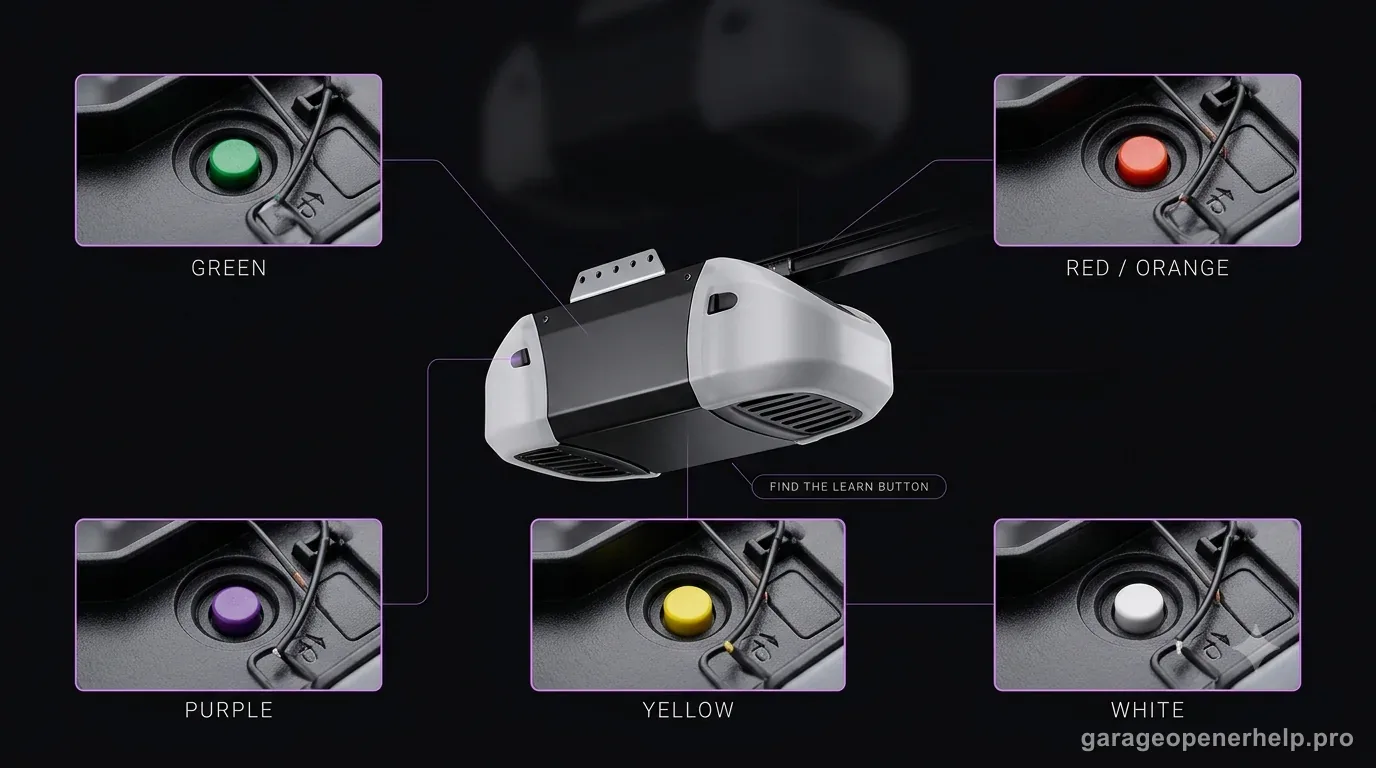
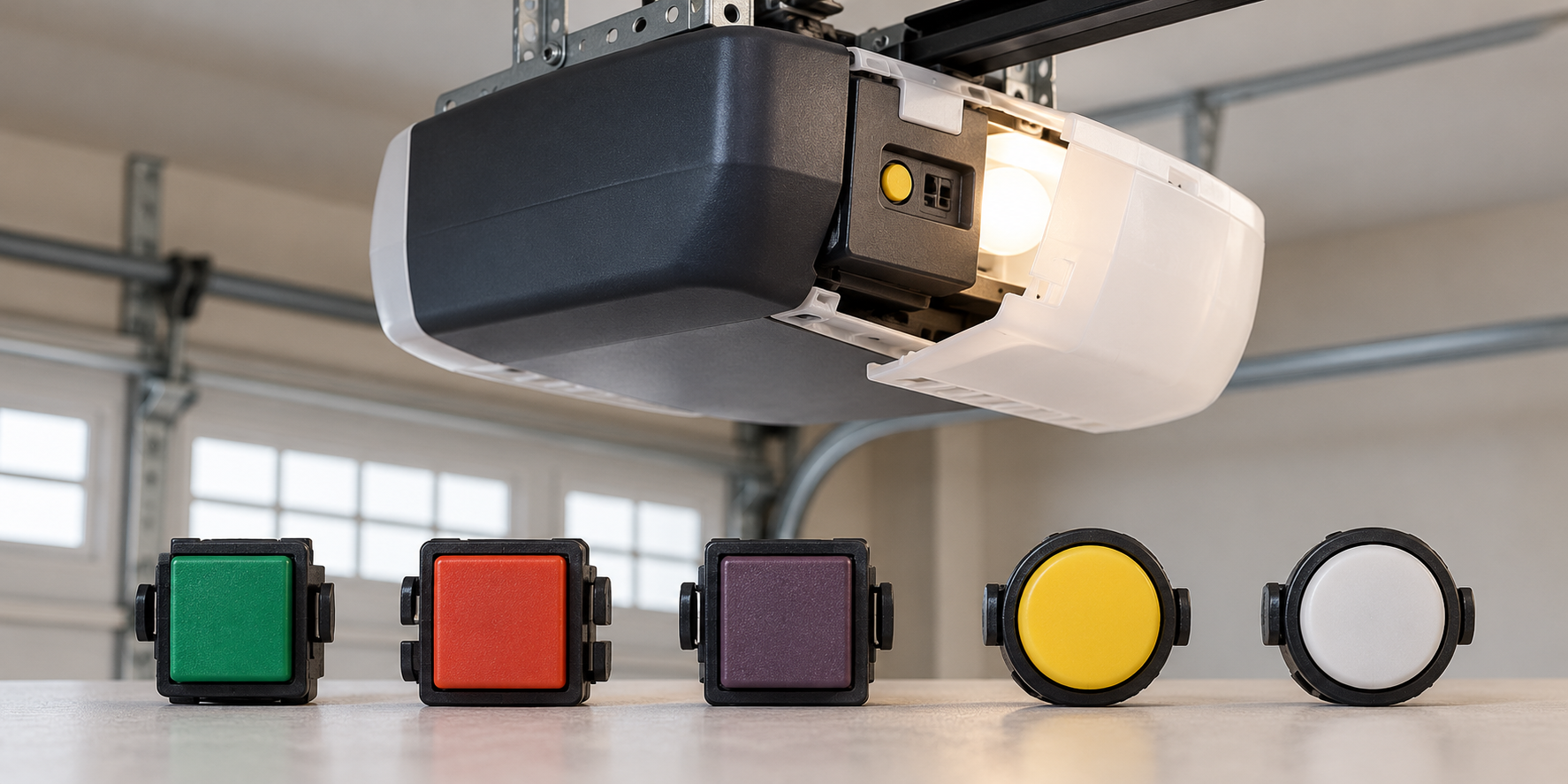
Chamberlain/LiftMaster LEARN button identification chart
Use color, shape and the motor-unit label together. Approximate years are manufacturer guideposts, not proof of an opener’s exact age.
| Button | Technology | Frequency / signal | Typical years | Antenna / nearby LED | Accessory check |
|---|---|---|---|---|---|
| Green | Billion Code | 390 MHz | 1993–1997 | Gray antenna; green LED | Universal-only replacement; verify the exact accessory |
| Red / orange | Security+ rolling code | 390 MHz | 1997–2004 | Gray antenna; amber/yellow LED | Universal-only replacement; verify the exact accessory |
| Blue | Security+ replacement-board exception | 433 MHz | 1997–2014 | Gray antenna; amber/yellow LED | No supported replacement listed in the color chart |
| Purple / brown | Security+ rolling code | 315 MHz | 2005–2014 | Purple antenna; amber/yellow LED | Universal-only replacement; verify the exact accessory |
| Yellow, round | Security+ 2.0 rolling code | 310, 315 or 390 MHz | 2011–2022 | Yellow antenna; amber/yellow LED | Universal-only replacement; verify the exact accessory |
| Yellow, round; Step Saver label | Security+ 2.0 rolling code | 315 or 390 MHz | 2022–2025 | Yellow antenna; amber/yellow LED | Universal-only replacement; verify the exact accessory |
| White, round | Security+ 3.0 rolling code | Bluetooth | 2025–present | White antenna; amber/yellow LED | Current chart lists supported accessory families |
| Yellow / white / gray, square | DIP switch; discontinued | No longer supported | Before 1993 | Gray antenna; red LED | No compatible replacement listed |
The blue row is a documented replacement logic-board exception, and the square-button rows are not the same technology as round yellow or white buttons. If color, shape and model disagree, stop and identify the installed receiver or replacement board before buying a control.
What the color can—and cannot—tell you
Production ranges overlap or leave gaps, so a color is a generation clue rather than an exact manufacture date or purchase approval.
| Question | Does button color answer it? | What to check next |
|---|---|---|
| Roughly which radio generation is installed? | Usually; confirm shape and cross-check clues | Antenna wire, nearby LED and model label |
| What is the opener's exact model or manufacture date? | No | Read the label on the motor-unit housing |
| Will a specific remote or keypad work? | No | Check the exact accessory model on the current manufacturer chart |
| Is a separate receiver controlling the opener? | No | Identify the installed receiver and use its label/manual |
| What can an FCC ID establish? | It can locate a radio equipment authorization record, not accessory compatibility | Search the ID against the FCC Equipment Authorization database |
| Which generation is it near a year boundary? | Not by date alone | Use model/logic-board part number; do not infer from overlapping color ranges |
The official year ranges overlap: green and red/orange both include 1997; purple overlaps early yellow entries in 2011–2014; and the chart names no color generation from 2004 to 2005. A replacement logic board or external receiver can also override what the original housing suggests.
Have the opener model or receiver number? Check the exact remote in the Remote Compatibility Finder →
Identify the Chamberlain / LiftMaster radio generation
Which LEARN-button family do you actually have?
Use shape as well as color: a round white button is the current Bluetooth Security+ 3.0 branch; an older square white button can be a DIP-switch unit. Round yellow has two manufacturer-listed eras, and blue 433 MHz identifies a discontinued replacement-board exception. Cross-check the antenna, nearby LED and model label.
What you are likely to notice
- You are buying a replacement remote or keypad but do not know the opener generation
- A programming guide asks for LEARN button color and you are unsure which color you have
- A universal remote claims broad compatibility but you want to verify the opener technology first
Check these in order
1. Find the LEARN button on the powerhead
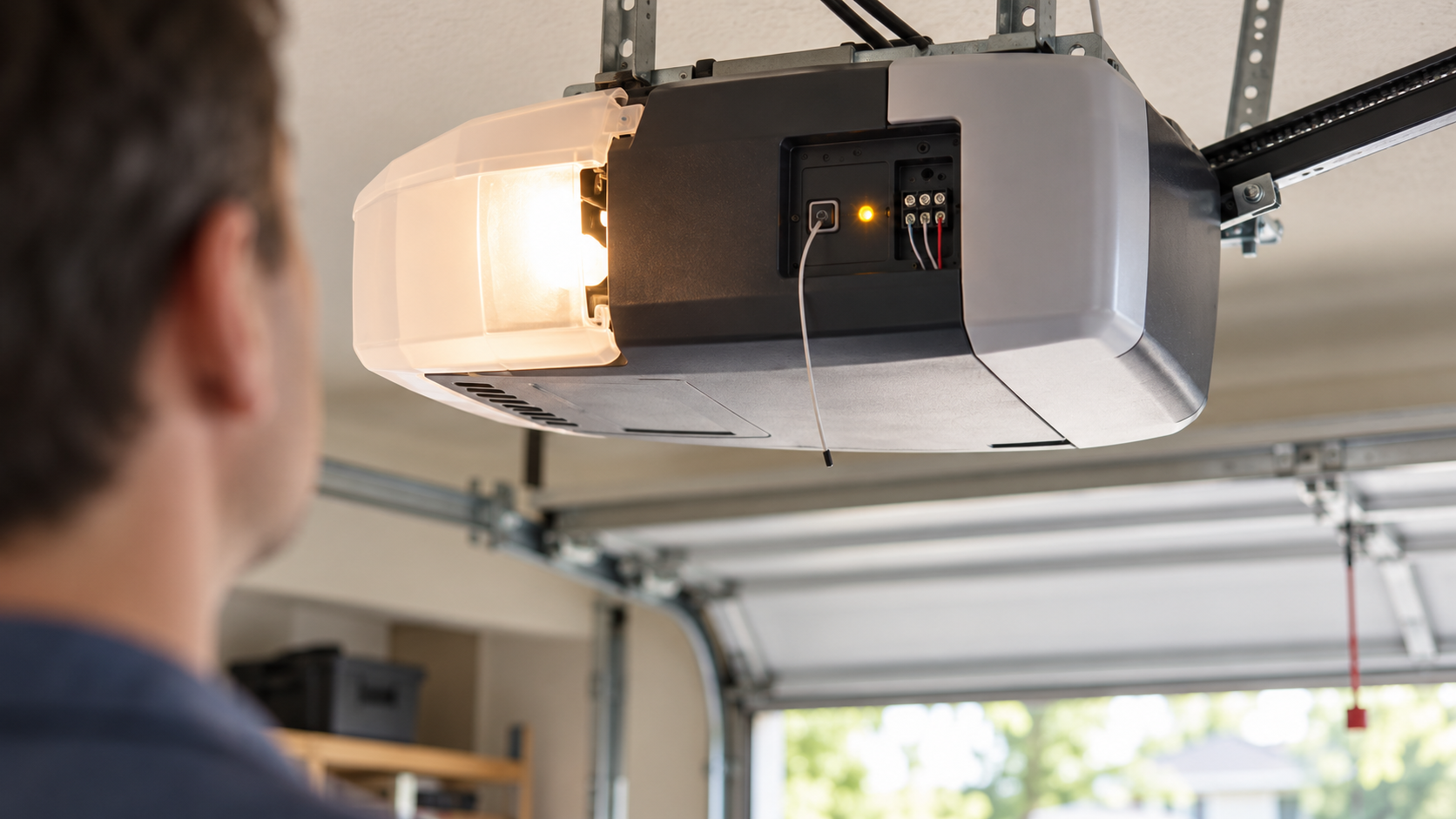
Look on the same side of the motor head where the wall-control and safety-sensor wires connect, often near the hanging antenna or under the light cover. The wall-mounted door control is a different device. Use only the normal user-accessible button; do not remove electrical covers.
2. Read color and shape together
The current Chamberlain Group chart distinguishes legacy square DIP-switch buttons from round rolling-code buttons. A white round button is current Security+ 3.0; a square white, gray or yellow button can instead be a pre-1993 DIP-switch unit. Round yellow marks Security+ 2.0, while green, red/orange and purple/brown identify older rolling-code generations.
3. Cross-check the antenna, nearby LED and model label
If the button is faded or partly hidden, the official identification chart also uses antenna-wire color, the LED next to the button, radio frequency and approximate manufacture year. These clues help distinguish similar colors and flag unusual boards; record the full opener model rather than relying on an estimated age.
4. Treat blue 433 MHz and replaced receiver hardware as exceptions
Chamberlain Group lists blue 433 MHz units as replacement logic boards, not a normal Learn-button accessory path. A replacement board or external receiver can change the radio system from what the opener housing suggests, so identify the active receiver before shopping.
5. Confirm the exact accessory before buying
Use the current manufacturer compatibility chart for the exact remote or keypad model. A shared color, frequency, brand name or production era narrows the search but does not prove that a specific accessory is supported.
Why the LEARN button is a better compatibility clue than opener color or logo
Two openers with similar housings can use different radio systems, and an opener may remain in service long after its original remote has been lost. Chamberlain Group therefore organizes its current compatibility support around the LEARN button. That single observation narrows the technology generation before you compare accessory model numbers.
The distinction becomes especially important around the yellow-to-white transition. Yellow round buttons belong to Security+ 2.0 generations, while the current white round button is documented as Security+ 3.0. A generic guide that says 'round button means yellow' can therefore send a current owner into the wrong accessory family.
Era is a clue, not a substitute for the live compatibility table
The manufacturer timeline is useful for orientation: green appears in the mid-1990s, red/orange follows, purple/brown follows that, yellow spans multiple Security+ 2.0 periods, and white is the current generation. But dates alone can be misleading when an opener has received a replacement logic board or external receiver.
Use Learn-button color to narrow the radio generation, then use the manufacturer's current accessory chart as the final purchase check. Do not treat a shared color or era as proof of compatibility when the exact accessory relationship is not documented.
What to photograph before ordering a replacement
Take one photo of the opener model label and one clear photo showing the LEARN button and antenna area. If the button is behind a light cover, do not remove electrical covers or expose internal mains-voltage components just to identify it. The goal is to capture the normal user-accessible control area.
Those two photos make later support much easier because they separate model identity from radio-generation identity. They also prevent a marketplace seller's generic compatibility claim from becoming the only evidence used to choose a remote or keypad.
Replacement logic boards and external receivers are the important edge cases
An opener can be older than the radio hardware currently controlling it. Chamberlain Group notes that replacement logic boards and receiver configurations can alter the useful technology clue, so the original manufacture year should not overrule the control hardware that is actually installed today.
If an external receiver has been added, identify its model and learn/program control as a separate device. A remote may pair to that active receiver rather than to the opener's built-in radio, so remote compatibility should follow the receiver when you have confirmed it is the radio actually being used.
Stop DIY troubleshooting when…
- The button shape/color and model label point to different generations
- A replacement logic board or external receiver may have changed the active radio system
- The exact accessory is not listed in the current manufacturer chart
- The opener appears to use obsolete DIP switches or a blue 433 MHz board
Garage door springs, cables and a falling/unbalanced door can store or release dangerous force. Those are door-system problems, not just opener settings.
Common questions
What does a yellow LEARN button mean on Chamberlain or LiftMaster?
Chamberlain Group identifies yellow round LEARN buttons with Security+ 2.0 generations. The current support table further separates older and newer yellow-button production periods.
What does a white LEARN button mean?
The current Chamberlain Group identification page maps the white round LEARN button to Security+ 3.0 and lists it for 2025-present products.
Can I choose a remote using only the opener's manufacture year?
The year is useful context, but the current LEARN button and manufacturer compatibility chart are safer because logic boards or receiver hardware can change during the opener's life.
Manufacturer sources used
These links are the factual baseline for the diagnostic claims above. Model-specific manuals can supersede general guidance.