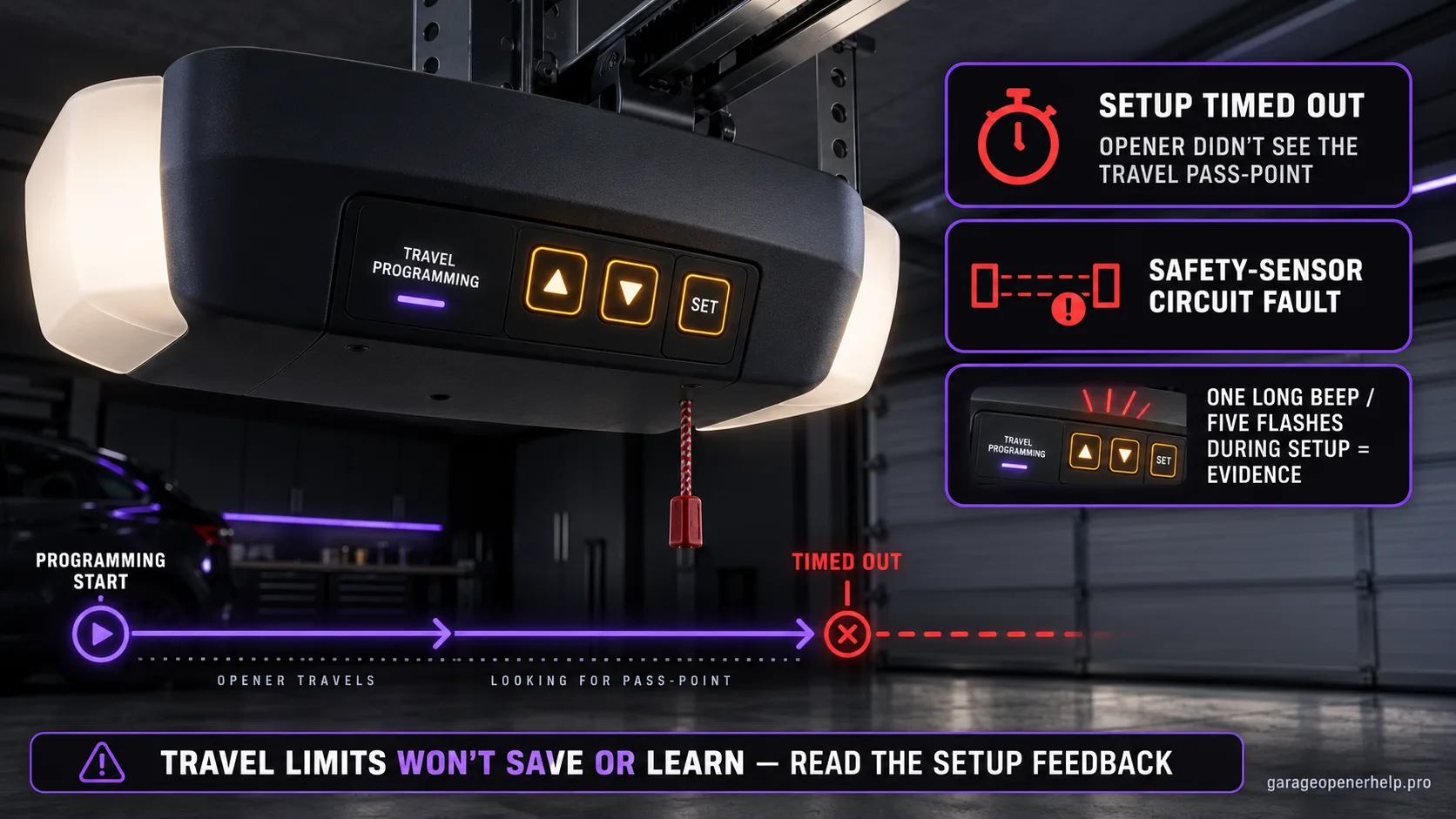
On current Chamberlain MC/Step Saver setup, travel learning can fail because the process timed out, the opener did not see the required travel pass point, or the safety-sensor circuit has a problem. A long beep or five flashes during setup is evidence to restart diagnosis, not a reason to keep changing the limits blindly.
Separate UP, Adjustment and DOWN controls during travel learning
Which button changes position, and which button saves it?
On the documented Security+ 2.0 / myQ travel-learning sequence, UP and DOWN move the door to the desired positions while the Adjustment button saves each position. After travel is learned, the opener performs automatic force setup and the safety reversal system must be tested.
What you are likely to notice
- The opener enters travel setup but the saved positions do not take effect
- The unit gives a long beep or five flashes during/after programming on the documented setup family
- Remote or wall-control operation may remain unavailable because open/closed limits were not successfully learned
Check these in order
1. Identify the exact adjustment system
Do not mix procedures. Older openers can use limit screws or colored-button sequences, while newer Security+ 2.0/MC units use UP/DOWN adjustment buttons and automatic force setup. Match the opener model and sticker to the correct procedure first.
2. Watch for timeout feedback
Chamberlain’s MC travel setup says a programming timeout causes five flashes and leaves the travel limits unset. Complete the sequence without long pauses and restart the procedure if the opener explicitly indicates a timeout.
3. Check the safety-sensor branch
The same manufacturer guidance lists sensor misalignment, bad terminal connections or broken/compromised sensor wire as reasons the limit-learning process can fail. Verify the sensor system rather than assuming the memory/logic board is bad.
4. Confirm successful force setup and reversal test
After both travel positions are accepted, the documented MC process performs automatic force learning and confirms success with three short beeps. Finish by running the required safety-reversal test. If the opener repeatedly loses learned limits afterward, move to model-specific travel-module/logic-board diagnosis.
Failed learning has observable feedback
On Chamberlain's documented MC/Step Saver setup, travel programming is not a silent process. The opener gives specific feedback: programming completion, automatic force setup and failure states. Five flashes during setup can indicate a timeout, while a long beep indicates that the limit-learning process failed and needs to be repeated.
This is why 'the limits won't save' should not immediately become a logic-board diagnosis. First capture the beeps/flashes and confirm that the exact programming sequence matches the opener generation.
Three manufacturer-listed reasons to check before internal parts
Chamberlain lists three notable failure branches in the MC setup article: inactivity timeout, a travel pass point not being seen, and a safety-sensor problem such as misalignment, bad terminal connection or damaged wire. Each can prevent a successful learning cycle without proving that the logic board has failed.
A very short travel distance—such as some one-piece doors that swing outward—is one example Chamberlain gives for a pass-point problem. That is a model/installation-specific condition, not something to fix by inventing a different limit value.
How to tell a failed learn from limits that are later lost
A failed learn means the setup never completes correctly. Limits that save, work for a while, and later disappear are a different symptom. Chamberlain's jackshaft support, for example, discusses collar, drive-shaft gear, travel-module wiring and logic-board branches for units that lose limits after setup.
Keep those two symptoms separate. A setup timeout should stay in the programming branch, while limits that save successfully and later disappear belong in model-specific travel-module or service diagnosis.
Do not confuse programming mode with a completed learn cycle
Seeing the UP or DOWN adjustment light flash only proves the opener entered programming. A completed process requires the positions to be accepted and, on the documented MC workflow, automatic force setup to finish. If the sequence exits with failure feedback, the opener has not actually learned a usable travel envelope even if you temporarily moved the door to the desired positions.
This is especially important when a remote or wall control appears disabled afterward. Chamberlain notes that normal activation can remain unavailable when open and closed limits were never successfully learned. The fix is to resolve the failed setup condition, not to keep re-pairing remotes.
When repeated limit loss becomes a different repair category
If the opener completes programming, works normally, and later forgets or shifts its limits, stop treating it as the same setup problem. Chamberlain's model-specific jackshaft guidance shows that repeated loss can involve the collar, drive-shaft gear, travel module wiring, travel module or logic board depending on the unit.
That is the point to switch to model-specific documentation or professional service. Internal position-sensing hardware is not a good place for generic trial-and-error, and repeatedly resetting the opener can erase useful evidence without correcting the underlying fault.
Stop DIY troubleshooting when…
- The opener repeatedly loses limits after a successful learn cycle
- The safety sensors have damaged wiring
- The model-specific setup cannot complete despite correct sequence and a healthy door
- Internal travel-module or logic-board work would be required
Garage door springs, cables and a falling/unbalanced door can store or release dangerous force. Those are door-system problems, not just opener settings.
Common questions
Why won't my Chamberlain travel limits save?
On the documented MC setup, possible reasons include a programming timeout, a travel pass point not being detected, or a safety-sensor wiring/alignment issue. Use the opener's flash/beep feedback and exact setup procedure first.
What do five flashes during travel programming mean?
Chamberlain's MC travel setup says five flashes can indicate that programming timed out and the travel limits were not set.
What if the limits save but disappear later?
That is a different symptom from failed programming. Repeated limit loss can require model-specific checks of the travel mechanism/module or electronics and is a good point to use manufacturer/dealer support.
Manufacturer sources used
These links are the factual baseline for the diagnostic claims above. Model-specific manuals can supersede general guidance.