For Genie models 1022, 1024, 1042, 2022, 2024, 2042 and 2027, a continuously ON red powerhead diagnostic LED means programming is incomplete. Genie directs owners to complete the required setup in the owner's manual, including travel/limit programming and the applicable wireless-device setup. Do not treat this model-family signal as a Safe-T-Beam red LED fault.
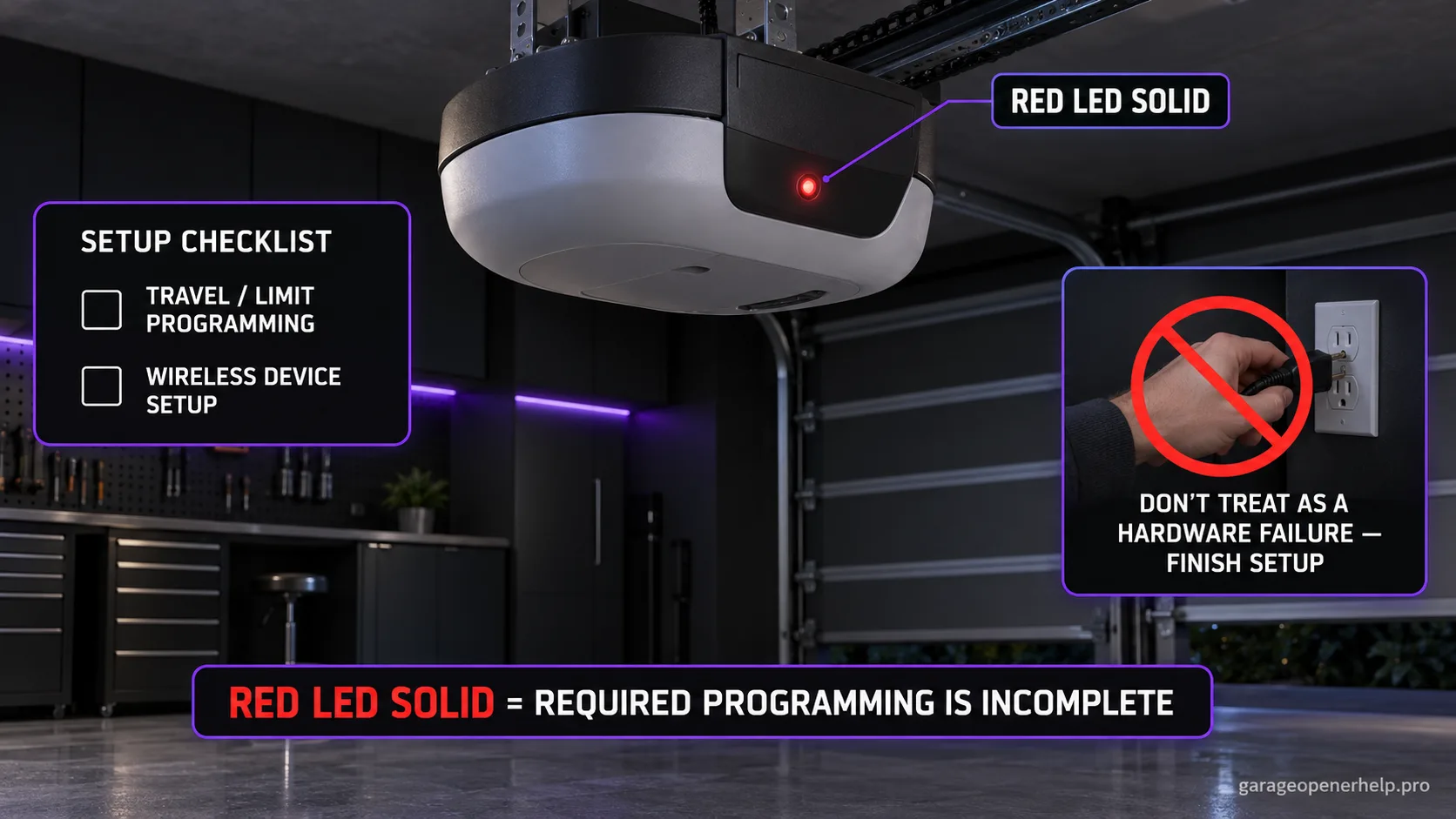
Diagnostic snapshot
- Answer
- On Genie 1022/1024/1042/2022/2024/2042/2027 openers, a continuously lit RED powerhead diagnostic LED means required programming is incomplete.
- Check first
- Confirm the exact opener model and that you are reading the powerhead indicator—not the red Safe-T-Beam sensor LED near the floor.
- Strong clue
- A new installation, cleared travel limits, or interrupted setup immediately before the solid-red state strongly supports the incomplete-programming branch.
- Model / generation note
- This LED meaning is specific to the listed Genie family; other Genie diagnostic systems use different blink tables.
Do not mix Genie powerhead LED states with Safe-T-Beam LED states
Which LED is blinking: the opener powerhead or the floor-level Safe-T-Beam?
Genie documents powerhead LED diagnostics separately from the red/green Safe-T-Beam pair. Record LED color, solid/blinking state and blink count at the powerhead before choosing a branch.
What you are likely to notice
- The red diagnostic LED beside the powerhead programming buttons stays continuously ON
- The opener is one of Genie's 1022/1024/1042/2022/2024/2042/2027 families
- Travel or wireless setup may be unfinished after installation, service, or a cleared setting
- The indicator is on the powerhead—not the red Safe-T-Beam sensor near the floor
Check these in order
1. Confirm you are reading the powerhead indicator
This guide applies to the diagnostic LED beside the programming controls on the listed Genie opener families. A red LED on a Safe-T-Beam photo eye has a different chart. Identify the model and LED location before using any blink meaning.
2. Check whether travel limits were fully programmed
Genie's model-family troubleshooting chart says continuous red means programming is incomplete. If the opener was newly installed, had limits cleared, or received board/service work, verify the exact manual's UP and DOWN limit procedure before changing force or replacing components.
3. Finish only the setup your manual requires
The same Genie chart refers to completing required programming, including wireless devices where applicable. Do not erase working remotes simply because the red LED is solid; identify which setup stage is incomplete and follow the exact model manual in order.
4. Re-check the indicator after a supervised cycle
After the documented setup is complete, operate the opener through a normal supervised cycle. If the red LED remains solid or another blink pattern appears, record the new pattern. That new signal is stronger evidence than repeatedly repeating setup without observing what changes.
Powerhead red is not Safe-T-Beam red
These Genie opener families have a diagnostic indicator beside the powerhead controls. That is a different light from the red Safe-T-Beam source sensor mounted near the floor. A solid red powerhead LED is about incomplete programming; a blinking red sensor LED belongs to the Safe-T-Beam chart.
That location check matters because using the wrong chart can send an owner toward sensor alignment when the opener actually needs travel/setup completion.
What 'programming incomplete' should change in your workflow
Treat the signal as a setup-state clue, not proof that every setting has been erased. Review what happened immediately before the LED stayed on: new installation, cleared limits, board work, accessory setup, or an interrupted programming sequence.
Finish the exact manual sequence in order and test once. If the opener cannot complete safe travel, do not keep repeating programming; a mechanical or second diagnostic problem has become the stronger evidence.
Why random resets are a poor first move
A factory reset can erase working devices and create more setup work without identifying which step was incomplete. The official chart points to completing required programming, so the better diagnostic path is to identify the unfinished stage first.
Preserve remote and keypad behavior before changing memory. If travel works normally but one wireless accessory does not, that is a narrower branch than a total setup failure.
Record the setup state before asking for service
A useful handoff includes the exact opener model, whether the red powerhead LED is continuously on or blinking, whether both travel endpoints were successfully saved, and which wired or wireless controls currently work. Those observations separate incomplete setup from a broader controller failure much faster than saying only that the opener is 'not programmed.'
If the LED changes after completing one setup stage, photograph or write down the new state before doing anything else. A changed diagnostic is evidence that the opener accepted part of the programming and is now reporting a different condition.
Stop DIY troubleshooting when…
- The door cannot complete safe travel while programming
- The door is heavy, crooked, off-track, or has damaged spring/cable hardware
- The indicator remains solid after exact-model programming is completed
- Internal wiring or control-board service is required
Garage door springs, cables and a falling/unbalanced door can store or release dangerous force. Those are door-system problems, not just opener settings.
Common questions
Is a solid red Genie powerhead LED a Safe-T-Beam fault?
Not on the model family covered here. The solid red powerhead diagnostic LED means programming is incomplete; Safe-T-Beam LEDs use a separate chart.
Should I erase all remotes when the red LED stays on?
Not automatically. Genie points to incomplete programming generally. Identify the unfinished setup stage before clearing working devices.
What if the red LED stays solid after programming?
Reconfirm the exact model and manual. If required setup is complete but the state persists, preserve the symptom and move to Genie/model-specific service rather than repeating resets.
Manufacturer sources used
These links are the factual baseline for the diagnostic claims above. Model-specific manuals can supersede general guidance.