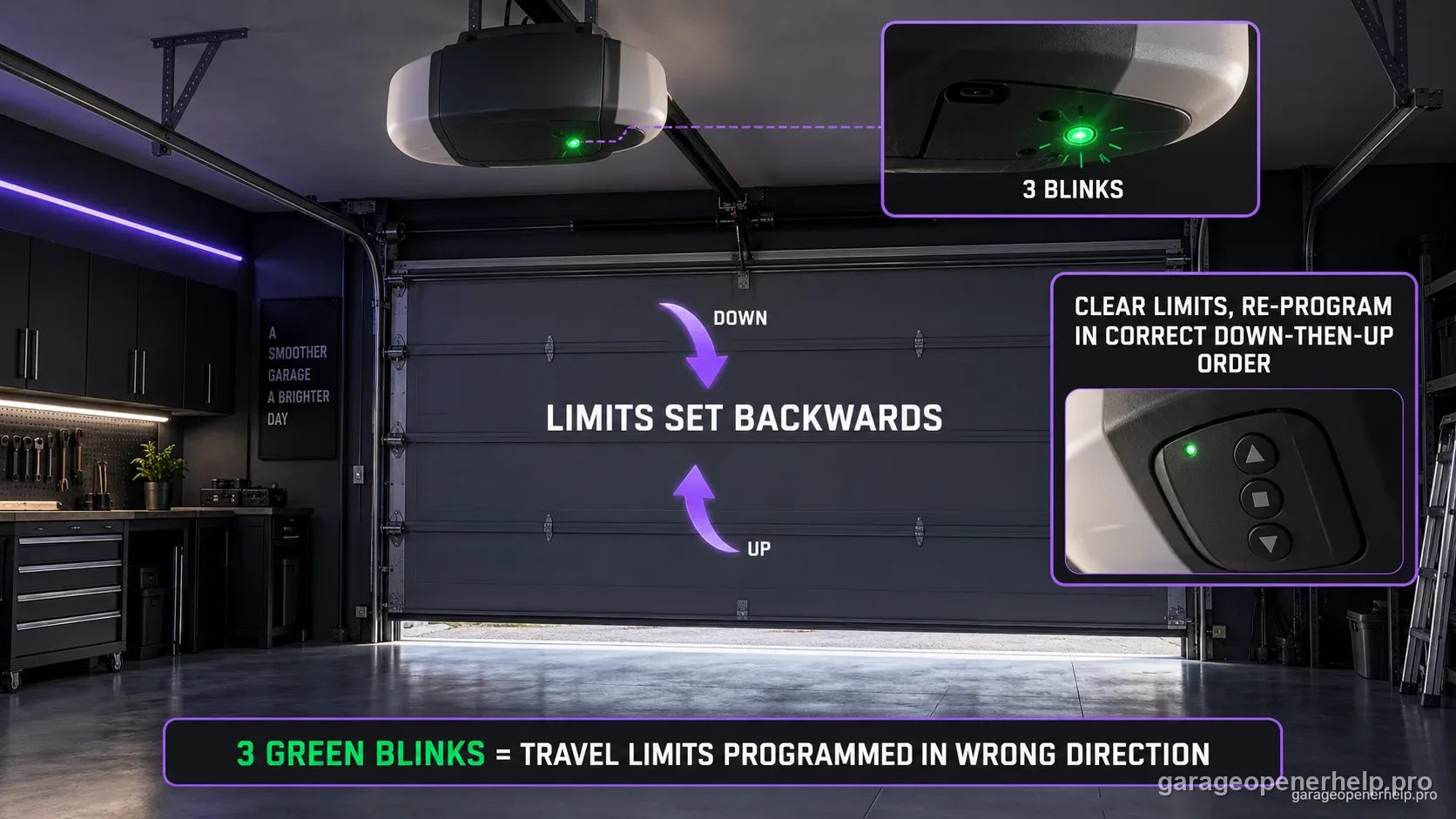
For Genie models 1022, 1024, 1042, 2022, 2024, 2042 and 2027, three GREEN powerhead LED blinks followed by a pause means the limits are set backwards. Genie directs owners to clear the existing limits and program them again in the correct DOWN-then-UP sequence for the exact model. This is a travel-programming problem, not a Safe-T-Beam blink code.
Diagnostic snapshot
- Answer
- Three GREEN powerhead blinks on Genie 1022/1024/1042/2022/2024/2042/2027 mean the travel limits are set backwards.
- Check first
- Use the exact model procedure to clear the limits, then program the DOWN limit before the UP limit.
- Strong clue
- The pattern appearing immediately after limit programming is much stronger evidence than a generic door-travel complaint.
- Model / generation note
- This is a model-family powerhead diagnostic, not a universal Genie blink code.
Do not mix Genie powerhead LED states with Safe-T-Beam LED states
Which LED is blinking: the opener powerhead or the floor-level Safe-T-Beam?
Genie documents powerhead LED diagnostics separately from the red/green Safe-T-Beam pair. Record LED color, solid/blinking state and blink count at the powerhead before choosing a branch.
This exact manufacturer signal can feed the following diagnostic family. Keep the original code or LED pattern when troubleshooting.
What you are likely to notice
- The green powerhead indicator blinks three times and repeats
- The opener belongs to the listed Genie family
- Travel may behave incorrectly after limit programming or service
- A recent limit reset/programming attempt may have preceded the pattern
Check these in order
1. Verify model and indicator location
This three-green-blink meaning belongs to the specified Genie powerhead diagnostic chart. Do not apply it to Excelerator status-light codes or Safe-T-Beam sensor LEDs, which use different blink definitions.
2. Clear the incorrect travel limits exactly as documented
Genie's current support instructions for these model families describe clearing limits by holding both SET buttons, then setting travel again. Follow the exact model instructions rather than improvising button timing from another Genie generation.
3. Program DOWN before UP
Genie's limit troubleshooting for these families begins with the down limit, then the up limit. Set the closed position so the door rests on the floor without being driven hard into it, and keep the open position short of the powerhead as the manual specifies.
4. Run a supervised full cycle and watch for a new signal
Once both limits are saved, operate the door through normal travel. If three green blinks return, or the opener changes to a force/sensor/wiring pattern, stop repeating limit programming and diagnose the new evidence.
Why three green blinks are more specific than 'limits won't save'
Genie's chart gives this model-family pattern a direct meaning: the limits are set backwards. That is more precise than a broad travel complaint, so the first action is not force adjustment or sensor replacement—it is correcting the travel programming sequence.
The current Genie limit-support instructions for these families begin by clearing limits, then setting the DOWN position before the UP position.
Endpoint quality still matters
Correct order does not mean driving the door hard into the floor or powerhead. The closed position should rest at the floor without excessive compression, and the open position must not allow the carriage/door hardware to strike the powerhead.
If the door cannot reach those positions smoothly, the underlying problem is no longer just reversed programming. Binding, balance, or hardware condition must be addressed safely first.
What a successful recovery looks like
After the correct limits are saved, the opener should complete a supervised open/close cycle without returning to the three-green-blink state. Record any new indicator rather than assuming it is still the same problem.
A change to sensor, force, or wiring diagnostics means the corrected limit sequence exposed a second issue. Follow the new evidence instead of repeatedly clearing limits.
Why limit direction should be verified before force changes
Force settings and travel endpoints solve different problems. If the opener believes the UP and DOWN limits are reversed, changing force does not correct the stored direction logic and can make later troubleshooting harder to interpret. The three-green-blink code therefore deserves to be resolved before force is treated as the primary variable.
After the correct travel sequence is stored, evaluate any remaining stop or reversal on its own merits. That keeps a programming error from being mixed with mechanical resistance, Safe-T-Beam obstruction, or another independent fault.
Genie's current limit support also gives a useful recovery clue: after limits are cleared, the LED should flash three times before the new endpoints are set. That temporary confirmation belongs to the limit-clearing procedure and should not be confused with the repeating three-green-blink fault state during normal diagnostic observation.
Stop DIY troubleshooting when…
- The door cannot move smoothly through the intended travel
- The door is unbalanced or spring/cable hardware appears damaged
- Limit programming cannot be completed with the exact model procedure
- A different diagnostic signal appears and points to another subsystem
Garage door springs, cables and a falling/unbalanced door can store or release dangerous force. Those are door-system problems, not just opener settings.
Common questions
What do three green blinks mean on these Genie models?
Genie says the travel limits are set backwards.
Should I adjust force to clear three green blinks?
Not as the first step. The documented correction is to clear and reprogram the limits in the proper sequence.
Can I use this meaning on every Genie opener?
No. This page is scoped to the documented 1022/1024/1042/2022/2024/2042/2027 family; other Genie families have different diagnostic charts.
Manufacturer sources used
These links are the factual baseline for the diagnostic claims above. Model-specific manuals can supersede general guidance.