If a Chamberlain B4613T was already working in myQ and went offline after a router, Wi-Fi name, password, or internet-provider change, Chamberlain Group says it will not reconnect automatically. Open the existing offline device in myQ and use Update Wi-Fi Settings; keep Bluetooth enabled and stay near the opener during setup.
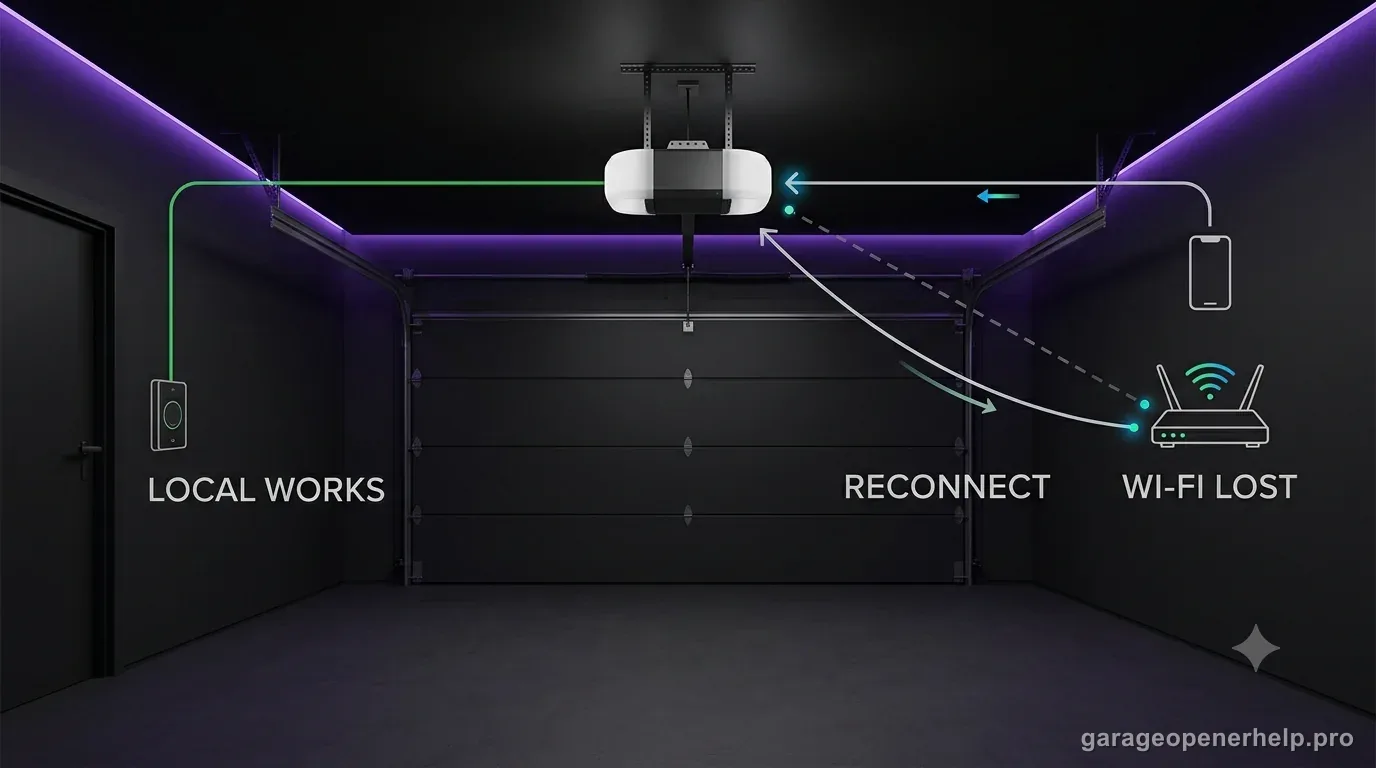
Diagnostic snapshot
- Answer
- A Chamberlain B4613T that worked in myQ before a router, Wi-Fi name, password, or internet-provider change will not reconnect automatically; update its Wi-Fi settings through the existing offline device in the myQ app.
- Check first
- Keep Bluetooth enabled, connect the phone to the home Wi-Fi network, and stand near the opener while using Update Wi-Fi Settings in myQ.
- Strong clue
- If the opener still appears in the myQ account but is offline immediately after network changes, use the reconnect flow rather than first-time device setup or a factory reset.
- Model / generation note
- The B4613T has built-in Wi-Fi plus integrated Bluetooth, so this connectivity path is model-appropriate and separate from safety-sensor diagnosis.
Reconnect the opener to the new Wi-Fi path instead of resetting unrelated settings
Did the router, SSID or Wi-Fi password change while the opener itself still works locally?
A router or credential change is a network-registration problem first. Keep local door operation separate from myQ connectivity, then use the manufacturer reconnect flow for the opener generation.
What you are likely to notice
- The B4613T still appears in myQ but shows offline after a network change
- The router, SSID, Wi-Fi password, or internet provider was recently replaced
- The wall control still operates the door but app control is unavailable
- You are unsure whether to reconnect or factory-reset the opener
Check these in order
1. Make sure this is a reconnect case
Use the reconnect flow only when the opener was previously connected and still appears in the myQ account. First-time setup, a moved-in device owned by another account, or Error 310 belong to different support paths.
2. Start from the existing offline opener in myQ
Chamberlain Group directs users to tap the offline device, choose the reconnect/troubleshoot option, then Update Wi-Fi Settings. You can also reach the same action from Settings > Devices > the opener.
3. Give the B4613T the setup conditions its hardware expects
The B4613T has integrated Wi-Fi and Bluetooth. Keep Bluetooth on, keep the phone on the home Wi-Fi network, stand close to the opener, and avoid mobile-data switching that interrupts setup.
4. If reconnect fails, diagnose Wi-Fi before resetting everything
Confirm a usable 2.4 GHz network and signal at the opener, restart the router/mobile device, and retry once. A factory reset can remove Wi-Fi settings, account association, and programmed accessories, so it is not the first response to a simple router change.
Reconnect is different from first-time setup
Chamberlain Group's reconnect article is specifically for a myQ device that was already working, still appears in the account, and went offline after the network changed. That is the B4613T case this page targets. The app's Update Wi-Fi Settings flow preserves the context of the existing device instead of treating the opener like a brand-new installation.
Do not jump to factory reset because the Wi-Fi password changed. Chamberlain Group notes that a factory reset can remove Wi-Fi settings, the device/account relationship, and programmed accessories depending on the device/reset path. Use the narrowest fix first.
Why Bluetooth and 2.4 GHz details matter on the B4613T
Chamberlain describes the B4613T with built-in Wi-Fi and integrated Bluetooth, and its current myQ setup instructions ask users to keep Bluetooth enabled and stay near the opener. Bluetooth helps the phone communicate during setup; it does not replace the home Wi-Fi/internet connection used for normal remote access.
Chamberlain Group's Wi-Fi troubleshooting also calls out a 2.4 GHz network and signal quality at the opener. A phone showing strong Wi-Fi at the kitchen is not proof that a ceiling-mounted opener at the far end of the garage has enough signal. Test at the actual opener location.
Stop DIY troubleshooting when…
- The opener is tied to another owner's account or shows an ownership error
- The opener has no power or no Wi-Fi status LED at all
- The network is managed and you cannot verify required Wi-Fi settings
- Repeated setup attempts produce a different documented myQ error code
Garage door springs, cables and a falling/unbalanced door can store or release dangerous force. Those are door-system problems, not just opener settings.
Common questions
Will a Chamberlain B4613T reconnect automatically after changing the Wi-Fi password?
No. Chamberlain Group says an existing myQ device will not reconnect automatically after router, Wi-Fi-name, password, or provider changes. Use Update Wi-Fi Settings in the myQ app.
Should I factory-reset the B4613T after replacing my router?
Not as the first step when the opener was previously connected and still appears in your account. Use Chamberlain Group's reconnect flow first; factory reset removes more stored setup data.
Does the B4613T use Bluetooth for myQ setup?
Yes. Chamberlain lists integrated Bluetooth for the B4613T and says it reduces setup time when connecting to the myQ app.
Manufacturer sources used
These links are the factual baseline for the diagnostic claims above. Model-specific manuals can supersede general guidance.