On Chamberlain-family amber-sender / green-receiver systems, Chamberlain Group lists misalignment, obstruction, or a short or broken wire as causes of a blinking green receiver. Clear the beam, make a small alignment adjustment with the door stopped, then check accessible low-voltage wiring if the light will not stay steady. The light alone does not prove the sensor is defective; verify the exact model and both LED states before replacing parts.
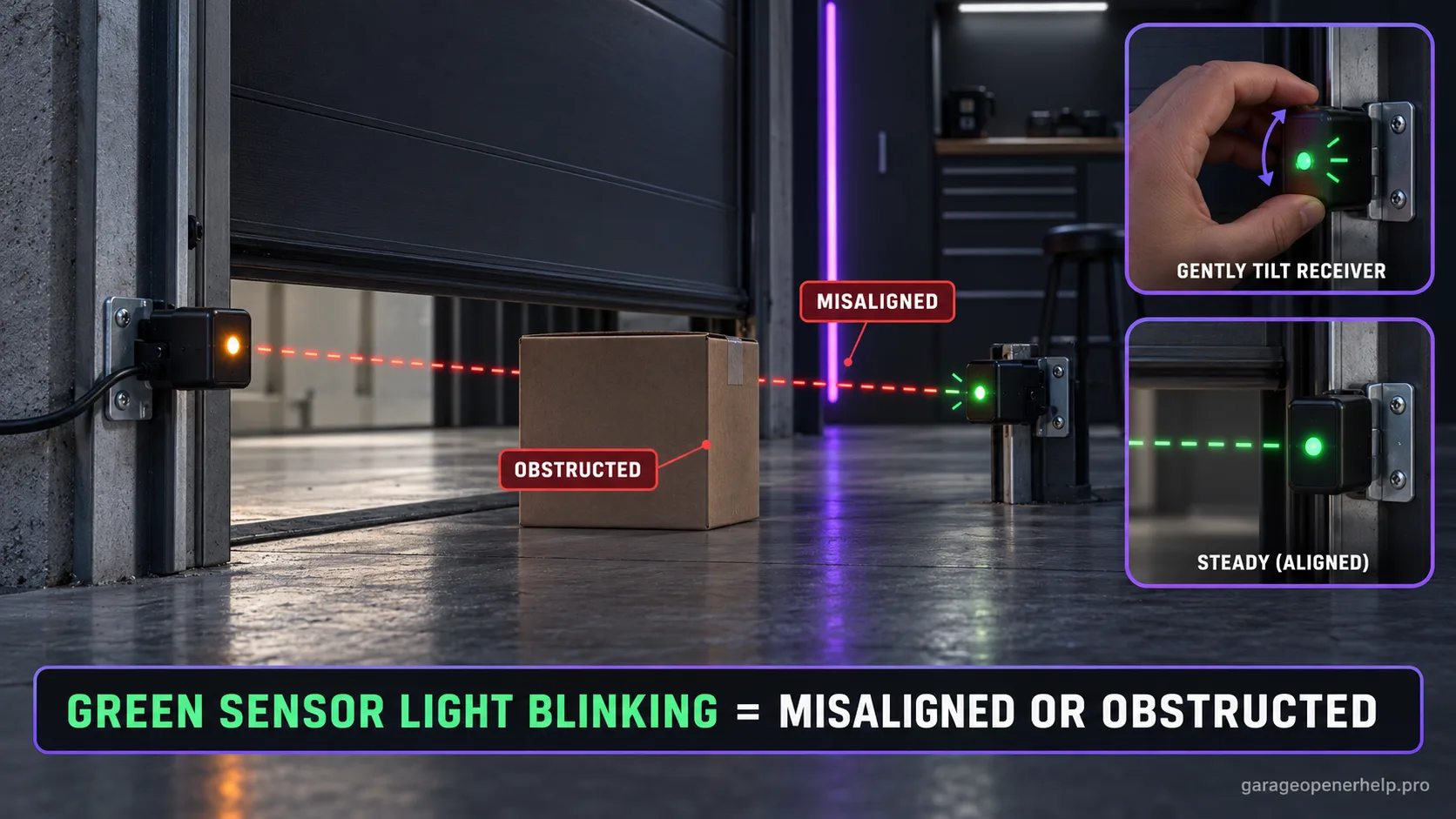
Use the green LED as a signal, then isolate the cause
Chamberlain Group names misalignment, obstruction, and a short or broken wire. A blinking LED does not by itself prove the sensor must be replaced.
| What you observe | Likely branch | Next safe check |
|---|---|---|
| Amber sender steady; green receiver blinks | Beam is unstable from obstruction or alignment | Clear the beam path; make small receiver adjustments with the door stopped. |
| Green steadies after a small bracket adjustment | Receiver alignment was marginal | Retighten gently and verify it remains steady without moving the door. |
| Green still blinks after line-of-sight and alignment checks | Wiring may be shorted, broken or intermittently connected | Inspect only accessible low-voltage wiring; stop if it is damaged or concealed. |
| LEDs look normal but opener reports 4-6 | A separate diagnostic or intermittent fault may remain | Record both LEDs and the exact code; use the model's service guidance. |
| Both sensor LEDs are off | Power or circuit branch differs from a blinking receiver | Use the dedicated both-LEDs-off troubleshooting branch rather than replacing parts by color. |
This interpretation is for the Chamberlain-family amber-sender / green-receiver sensor design. LED colors differ across brands and model generations; confirm the exact sensor and opener before applying it.
Read the two safety-sensor LEDs as a pair
Is the sender powered, and is the receiver seeing the beam?
Steady + steady = aligned baseline
On current Chamberlain Group safety-sensor guidance, amber identifies the sending sensor and green identifies the receiving sensor. Both LEDs steady is the normal aligned baseline; an off or blinking green receiver moves diagnosis toward alignment, obstruction or receiving-side wiring depending on the exact state.
This exact manufacturer signal can feed the following diagnostic family. Keep the original code or LED pattern when troubleshooting.
What you are likely to notice
- The green receiving sensor LED flickers or blinks
- The amber (Chamberlain-family) sending LED may remain steady
- The opener is a LiftMaster or Craftsman unit — the Chamberlain Group sensor and its green/amber LEDs work the same way
- The door refuses to close or reverses because the safety beam is not stable
Check these in order
1. Confirm the sensor design and exact pattern
This guide applies to the Chamberlain-family amber-sender / green-receiver pair. Record which side is amber, whether it is steady, whether green blinks or goes dark, and the opener model. Other brands may use different colors and meanings.
2. Clear the entire beam path
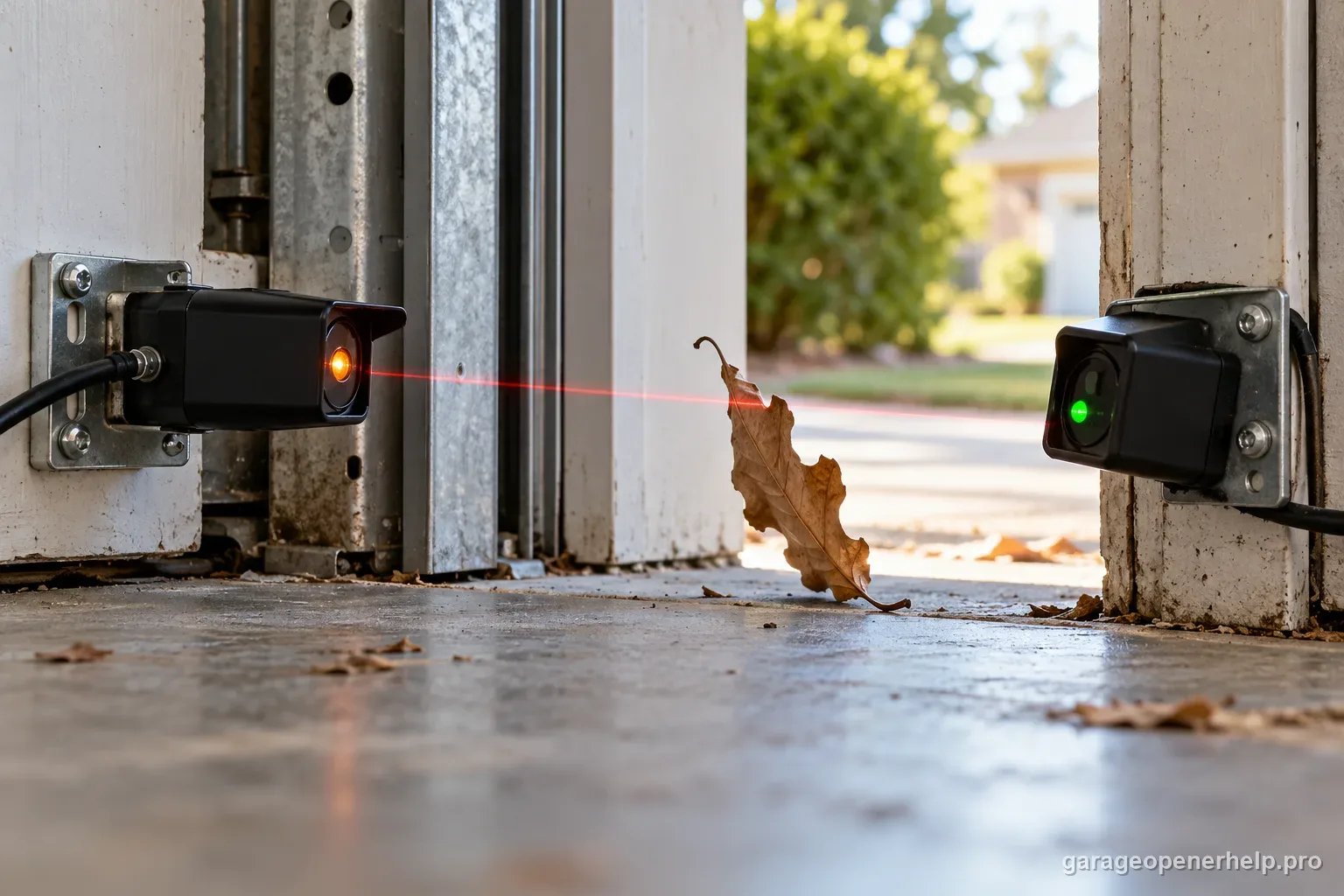
With the door stationary, remove objects, cobwebs or anything attached to the moving door that crosses the photo-eye line. Note whether the green LED changes when the obstruction is removed; that is stronger evidence than color alone.
3. Align the green receiver with the door stationary
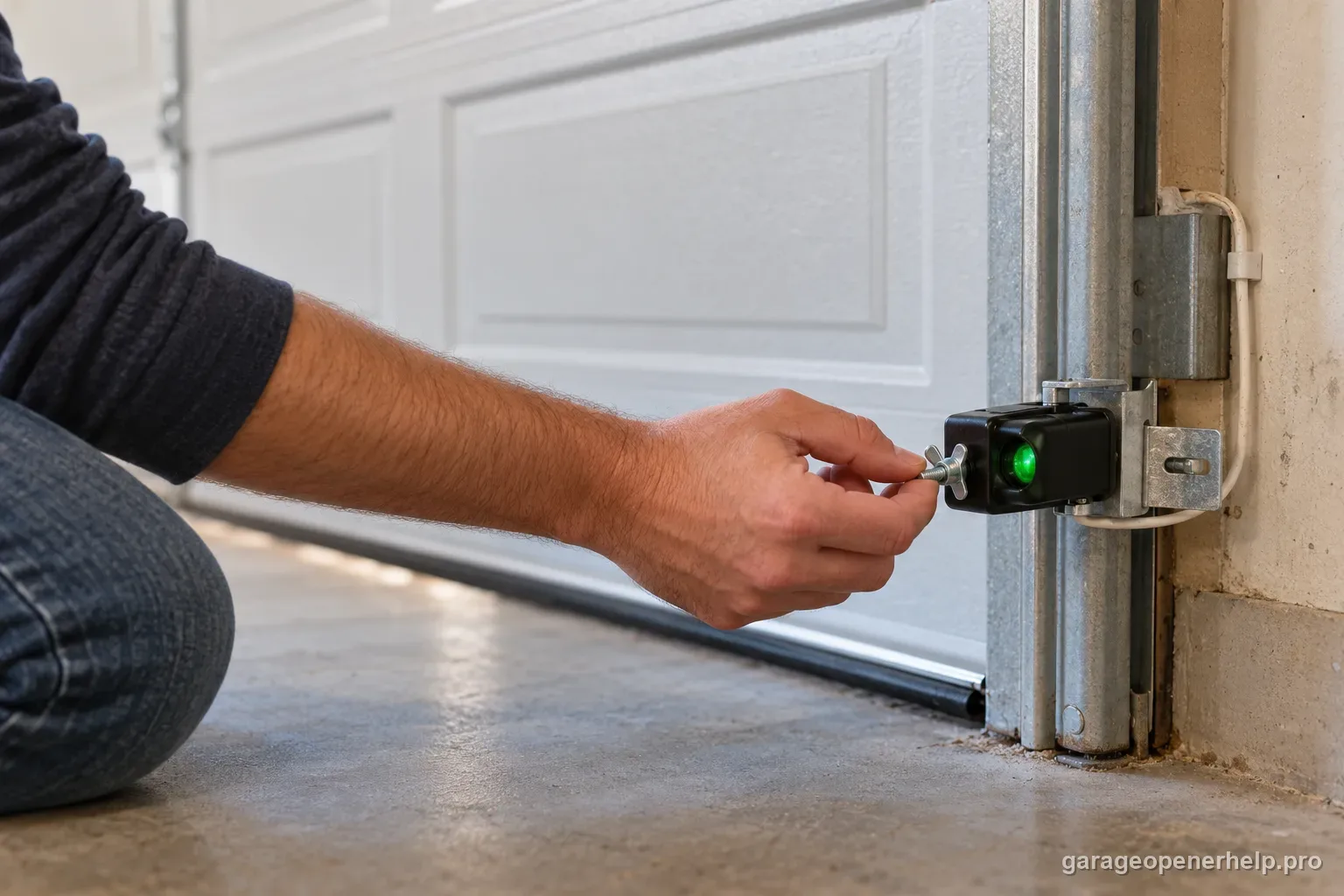
Chamberlain instructs users to loosen the green sensor wing nut, adjust until the green LED glows steadily and retighten the bracket. Make small changes rather than bending hardware aggressively, and do not loosen track or high-tension door hardware.
4. Check the sender and accessible wiring
If the receiver cannot stabilize, Chamberlain also instructs checking sending-sensor alignment. If the beam is clear and alignment does not help, inspect only accessible low-voltage wiring for a short, break or loose connection; stop if the run is concealed or damaged.
5. Separate a sensor light from an opener code
If an arrow display also reports 4-6, use the model's sensor diagnostic. Do not merge it with 1-x movement, 4-1/4-2 force or RPM codes. A steady pair with a remaining fault needs the exact opener manual and code, not repeated sensor adjustments.
Blinking green is a high-quality alignment clue
Chamberlain's current sensor table explicitly maps a blinking green LED to misalignment or obstruction. That makes the beam path and bracket aim the first checks, unlike a completely dark green receiver where wiring becomes more prominent.
From a safe position, observe whether the LED changes while the opener runs; do not touch or adjust the sensor while the door is moving. A bracket that is barely aligned can flicker only during travel, causing an intermittent closing fault that disappears when the door is stationary.
When alignment turns into wiring diagnosis
If the beam is clear and the green LED will not become steady through normal alignment, Chamberlain's troubleshooting moves to connections and open/shorted wire checks. Do not keep bending the bracket once the expected alignment procedure has failed.
A stable receiving LED should be followed by the safety-reversal test. The real endpoint is a functioning protective system, not merely a prettier indicator light.
Use the green LED as a branch point, not a parts verdict
On Chamberlain/LiftMaster safety reversing sensors, a receiving green LED that will not stay solid is useful because it keeps the diagnosis in the receiving-eye, beam-path or wiring branch. Chamberlain's current guidance separates a steady sending LED with an off or flickering receiving LED from a both-LEDs-off condition. That distinction matters: both LEDs off starts with installation, power and wiring; a sending LED that remains steady proves you have already passed part of that chain.
For the 041-0136 sensor style, Chamberlain's alignment table also treats a blinking green LED as evidence of obstruction or misalignment while both LEDs solid indicates the pair is aligned and functioning at that moment. Capture whether the green LED changes when the bracket is lightly disturbed or when an object crosses the beam. A repeatable change is more useful than repeatedly moving the sensor until the door happens to close once.
- Amber/sending LED steady + green flickering: inspect beam path and alignment first.
- Green LED never becomes steady: keep wiring/receiving-eye faults in the branch.
- Both LEDs off: switch to the no-power/wiring diagnostic instead of continuing alignment adjustments.
For a useful service handoff, record the opener model, whether the amber sender stays solid, whether the green receiver is off or flickering, and whether the green state changes when the beam is cleared without moving the bracket. That evidence tells the next person whether to stay with alignment/obstruction or move into receiving-eye wiring and sensor checks.
Stop DIY troubleshooting when…
- The bracket cannot hold alignment
- Wiring is damaged beyond an accessible repair
- The door or track is physically damaged
- The green LED never becomes steady after beam and wiring checks
Garage door springs, cables and a falling/unbalanced door can store or release dangerous force. Those are door-system problems, not just opener settings.
Common questions
Why is my Chamberlain green sensor light blinking?
Chamberlain says a blinking green receiving LED indicates sensors that are misaligned or obstructed.
Can bad wiring make the green light unstable?
Yes. Chamberlain also notes that a receiving LED that is not steady can indicate an open or shorted wire.
What should the sensor LEDs look like when aligned?
Both amber and green should glow steadily on the documented sensor family.
Manufacturer sources used
These links are the factual baseline for the diagnostic claims above. Model-specific manuals can supersede general guidance.