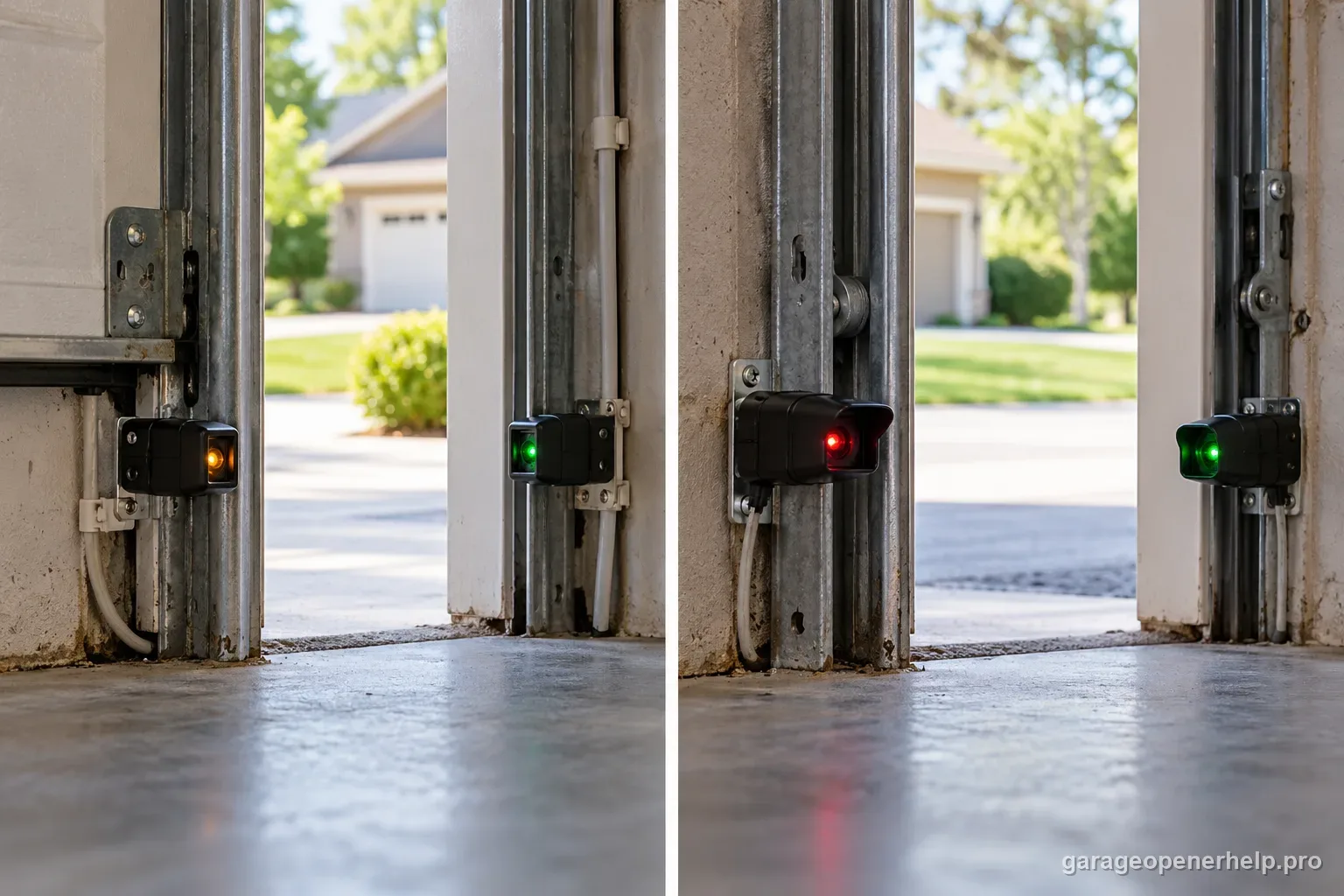
A garage door safety-sensor pair is meant to show two different lights, not two matching ones. On Chamberlain, LiftMaster and Craftsman openers the sending eye shows a steady amber/yellow LED and the receiving eye shows a green LED; a steady green means the beam is aligned and clear, while a green LED that is off or flickering means misalignment, an obstruction or a wiring fault, and a blinking amber sender means an open or shorted wire. On Genie Safe-T-Beam systems the sender shows red and the receiver shows green, and both must be on solid for the door to close; either LED flashing means the beam is broken or the system has a fault. "Orange" almost always refers to the amber Chamberlain-family sender, which is normal when steady. If both sensor LEDs are already solid and the door still will not close, the problem is not the photo eyes — move to the opener's closing and travel diagnostics instead.
Compare the sensor lights by opener family
The sending and receiving roles matter more than color alone. Confirm the opener or sensor model before applying a pattern.
| Opener family | Sending eye | Receiving eye | Normal state | What an abnormal state suggests |
|---|---|---|---|---|
| Chamberlain / LiftMaster / Craftsman | Amber, often described as yellow or orange | Green | Both LEDs steady | Green off/flickering: obstruction, alignment or wiring; amber sender off/blinking: check power and wiring per model guidance. |
| Genie Safe-T-Beam | Red | Green | Both LEDs steady | A flashing LED indicates a fault; check obstruction, lens, wiring and exact Genie manual. |
| Linear or older/replacement sensor systems | Varies by model and receiver | Varies by model and receiver | Use that system's manual | Do not assume the Chamberlain or Genie color map applies; replacement receivers can change the installed system. |
Some comparison charts reverse the LiftMaster/Chamberlain sender and receiver roles. Manufacturer documentation identifies amber as the sending LED and green as the receiving LED; use the exact model manual if any chart or installed hardware disagrees.
What you are likely to notice
- One sensor light is green and the other is amber, yellow, orange or red and you are not sure that is correct
- The receiving (green) light is off, dim or flickering and the door will not close or reverses
- The sending light is blinking rather than steady
- Both sensor lights are off
- Both sensor lights look solid but the door still refuses to close
- The lights only misbehave at a certain time of day or in direct sun
Check these in order
1. Identify the brand and which eye is which
Chamberlain, LiftMaster and Craftsman openers are the same Chamberlain Group sensor design: a sending eye with an amber/yellow LED and a receiving eye with a green LED. Genie Safe-T-Beam uses a red LED on the transmitter and a green LED on the receiver. Confirm the opener brand on the powerhead label first, because the same LED color can mean different things across systems and the receiving eye is the one that reports beam problems.
2. Read the normal state before assuming a fault
On a Chamberlain-family system, one steady amber and one steady green is the expected working state. Chamberlain Group states a steady amber sending LED just means the sender has power — it is not an error and does not mean the sensor needs replacing. On Genie Safe-T-Beam, both LEDs on solid is normal operation and is required before the door will travel down. If both stay steady while the door still fails, test the reversal system and follow the opener's separate closing symptom rather than repeatedly adjusting the photo eyes.
3. Green off or flickering: clear the beam, then align the receiver
Chamberlain Group says a green receiving LED that is off or flickering points to misalignment, an obstruction or wiring. Remove anything in the beam path near the floor, wipe both lenses with a dry cloth, then — with the door stopped and the doorway clear — loosen the wing nut on the green sensor and adjust it until the green LED glows steady, and retighten. Genie's equivalent guidance is to clean the lenses, check for obstructions and loose wires, and confirm both eyes are mounted five to six inches from the floor and aimed at each other.
4. Sender blinking (amber or red): treat it as a wiring signal
A blinking amber sender on a Chamberlain-family system can signal an open or shorted low-voltage wire. Chamberlain's wiring convention is white wire to the white terminal and white/black wire to the black terminal. From a safe position, look for visible cuts, pinches or damaged insulation; do not pull wires at the opener terminals or open the motor housing. A flashing red LED on a Genie Safe-T-Beam sender also indicates a malfunction — check the clear beam and visible wiring first, then use the exact Genie service guidance.
5. Both lights off: check power and the wire run
Both sensor LEDs dark can mean the sensor circuit has lost power or continuity; it does not prove both eyes failed at once. Confirm the opener itself has power and note the exact model, then visually inspect only the accessible wire run for a cut, pinch or obvious damage. Do not add temporary leads or probe the opener terminals as a homeowner test. If the wiring is hidden, damaged or both LEDs stay dark, use the model's service instructions or call a trained technician.
6. Rule out sun glare and interference before buying parts
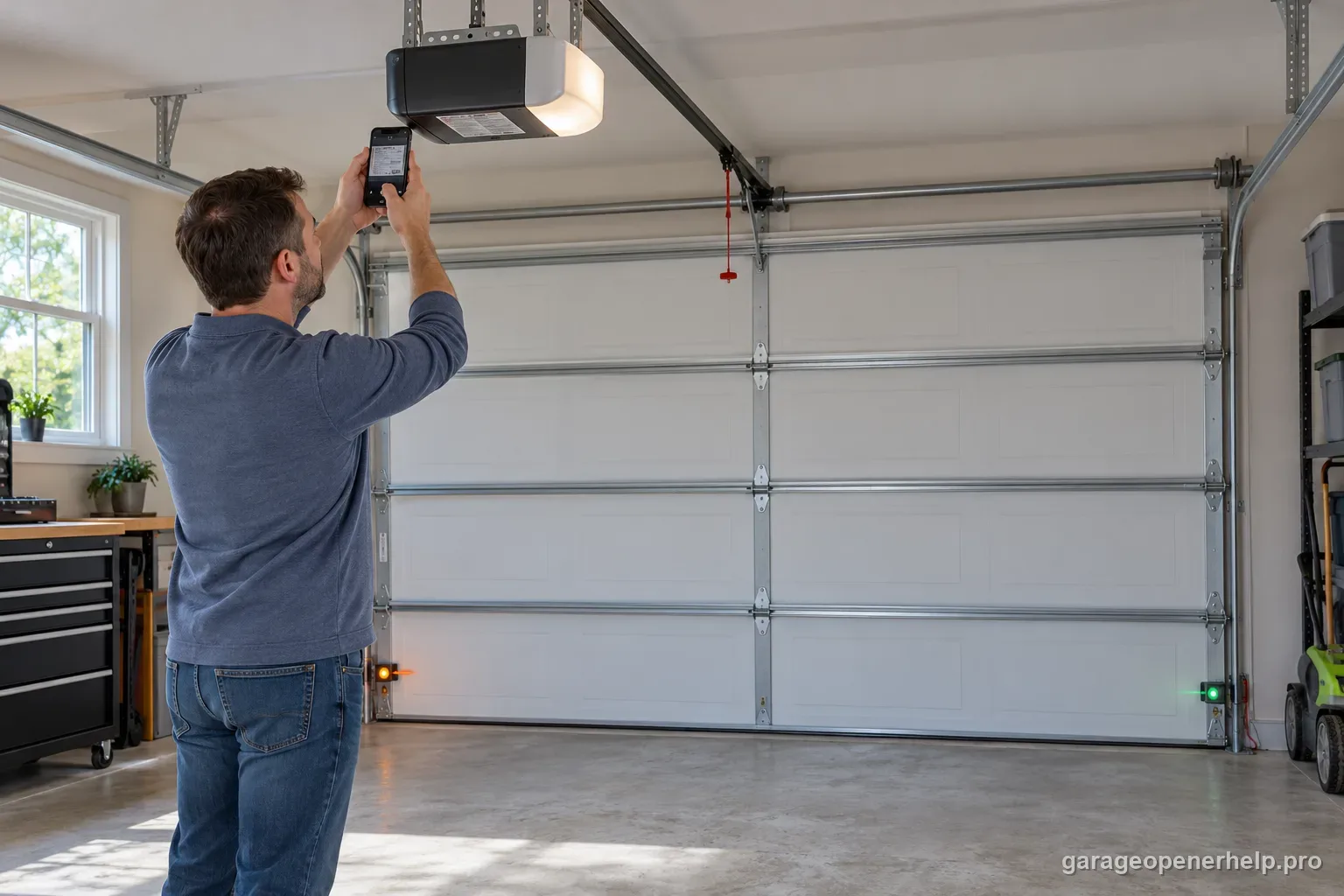
A receiving eye that only drops out in the afternoon or when the sun is low may be affected by direct light rather than a failed sensor. Follow the exact model's guidance for placement or a manufacturer shield; never place anything in front of the beam. Change one variable at a time and confirm the LEDs stay steady before deciding that a sensor needs replacement.
7. Both LEDs solid but the door won't close: leave the sensors alone
If both sensor lights are steady and correct, the photo-eye branch is healthy and more alignment adjustments will not help. Run the manufacturer safety-reversal test, then read what the opener actually does when you press close — no movement, a few inches then reverse, floor contact then reverse, or a code or blink pattern — and follow the matching closing or travel diagnostic. Do not increase force to push a door that will not close; mechanical binding has to be ruled out first.
Why the opener model matters more than the color you see
The top pages agree that colors differ by brand and that the sending and receiving eyes have different jobs. One opened competitor comparison table reverses the LiftMaster/Chamberlain roles, even though its own surrounding text says amber is the sender. That conflict is exactly why color charts should be checked against manufacturer material: Chamberlain Group identifies an amber sending LED and a green receiving LED, while Genie Safe-T-Beam uses red and green. The table above keeps the known patterns separate and leaves other or replacement receiver systems as model-specific.
Light color also changes with ambient lighting and viewing angle. A yellow-orange LED can be described as amber or orange without indicating a new sensor generation. Start by identifying the opener or sensor model, then look at both eyes at once. The sender light confirms its own state; the receiver is the one that confirms the beam arrives. A single color by itself cannot establish that the full safety circuit works.
Two steady LEDs are a baseline, not a complete opener diagnosis
A steady pair means the sensors are reporting the expected clear-beam state for that documented system. It does not prove the door will close correctly, the reversal test passes, the wall control is unlocked, or the travel and force settings are healthy. If both sensor lights stay steady while the door refuses to close, preserve the opener's own blinking pattern and what the door did; continue with the matching close/travel diagnostic instead of repeatedly realigning healthy photo eyes.
Several competitors suggest holding the wall button to force closure as a sensor check. Because that can bypass normal photo-eye protection on some openers, this guide treats it as an unsafe routine workaround. Do not tape, move high, disconnect or bypass sensors to get a close cycle. Restore the documented sensor state and use the model manual's safety-reversal test before returning the opener to service.
Stop DIY troubleshooting when…
- The receiving LED will not hold steady after beam, alignment and wiring checks
- Low-voltage wire is damaged beyond an accessible splice or the run is inside a wall
- Both sensors stay dark after you confirm opener power and visually inspect accessible wiring
- The door is heavy, binding, crooked or off-track, or spring and cable hardware is damaged
- The opener reports an internal fault code that persists after the sensor circuit reads normal
Garage door springs, cables and a falling/unbalanced door can store or release dangerous force. Those are door-system problems, not just opener settings.
Common questions
Should both garage-door sensor lights be the same color?
Usually not on the documented Chamberlain/LiftMaster/Craftsman or Genie pairs. Chamberlain Group uses an amber sender and green receiver; Genie Safe-T-Beam uses red and green. Check your exact system because older or replacement receivers may differ.
Is an orange garage sensor light the same as amber?
On the Chamberlain-family sending eye, the steady amber/yellow LED can appear orange under garage lighting. It normally indicates the sender has power; read the green receiver too.
Do two steady lights prove the garage door is safe?
They show the expected clear-beam state for that sensor family, but do not replace the model's safety-reversal test or diagnose travel faults. If the door still reverses, record the opener code and behavior.
What if my garage door sensors do not match these colors?
Use the sensor and opener model labels with their exact owner manual. A replacement receiver or another brand may use a different LED pattern; do not buy parts or move a sensor based only on a generic color chart.
Manufacturer sources used
These links are the factual baseline for the diagnostic claims above. Model-specific manuals can supersede general guidance.